German Losada

Mobile product case study

AI-Powered Grocery Planning Mobile App

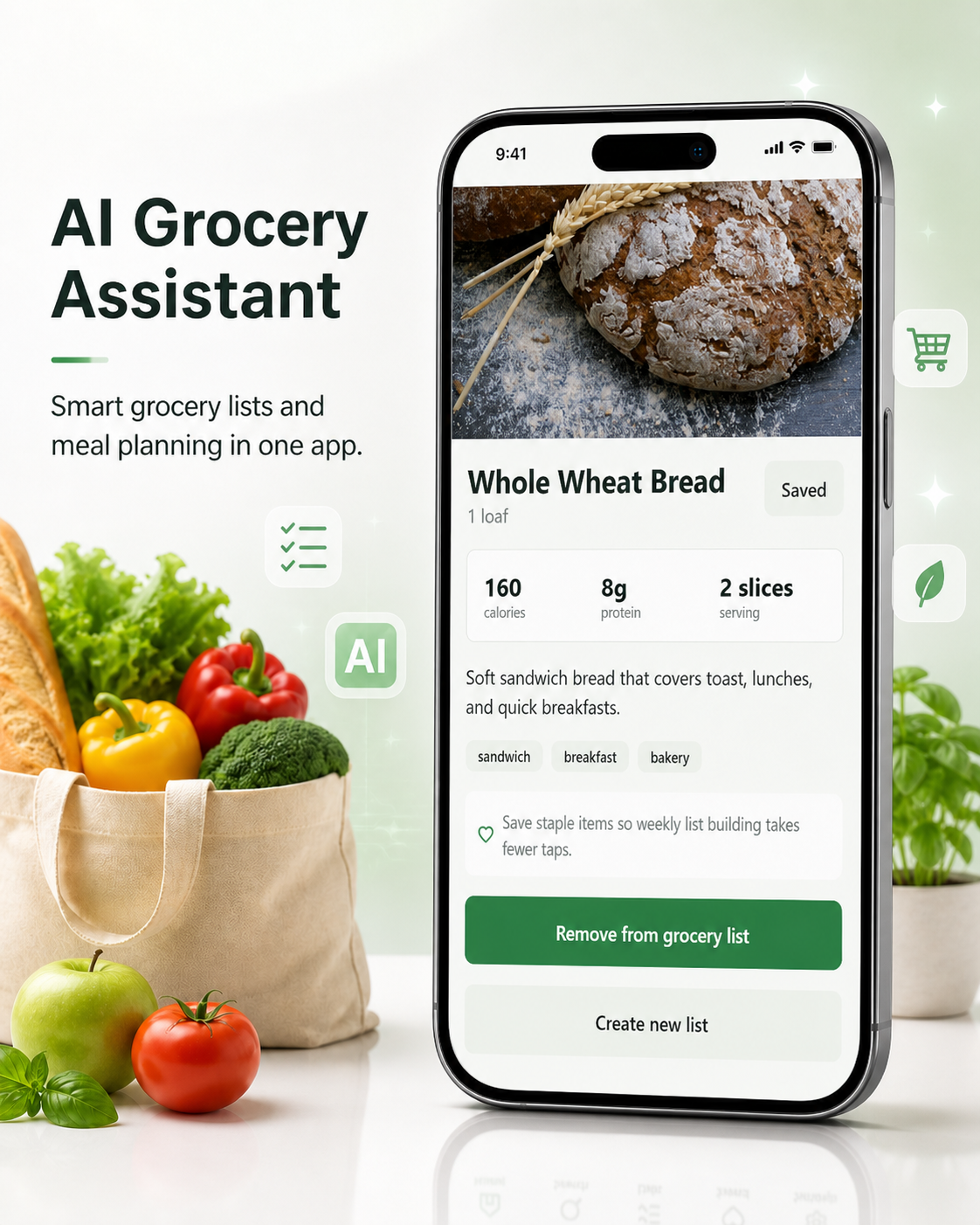
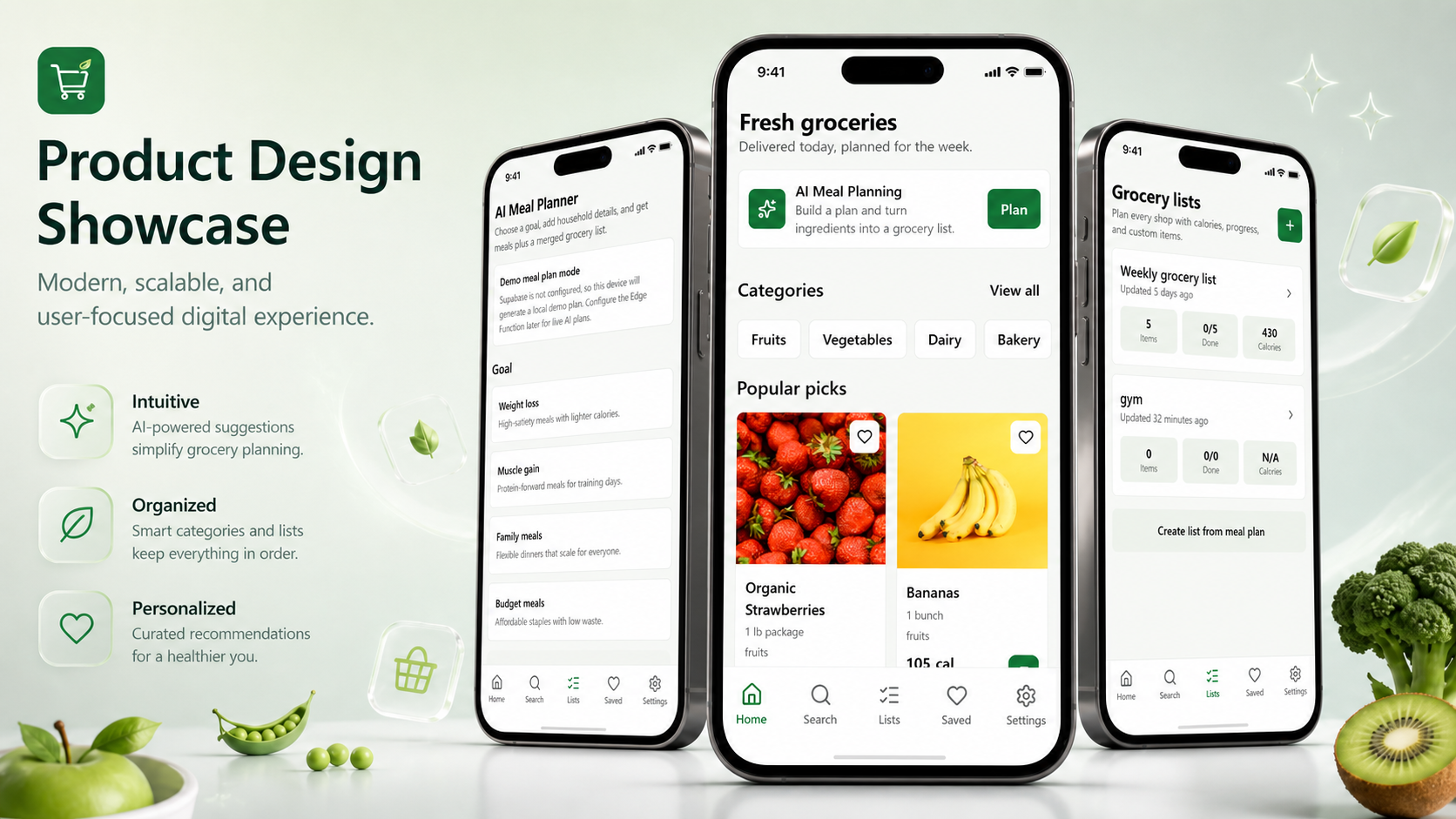
Grocery List Mobile is a production-ready grocery planning app built with Expo, React Native, TypeScript, Supabase, and OpenAI. It helps users browse grocery products, manage shopping lists, save favorites, track nutrition, and generate AI-powered meal plans that convert directly into organized grocery lists.

Role

Product Designer / Mobile UX/UI Designer / Front-End Developer

Stack

Expo, React Native, TypeScript, Supabase, OpenAI

Focus

Mobile UX, AI planning, list management, production-ready implementation

AI-powered grocery planning app hero composition

Overview

A grocery planning app enhanced by AI meal planning.

The product is designed for busy shoppers and households who want a clearer bridge between deciding what to eat and knowing what to buy. Unlike a simple grocery list app, it combines product browsing, nutrition visibility, saved items, household context, and AI-generated meal plans that can become organized grocery lists.

The Problem

01

Grocery planning is repetitive, time-consuming, and often rebuilt from scratch every week.

02

Users forget staples, household preferences, allergies, disliked ingredients, and budget constraints.

03

Meal planning and grocery shopping often live in separate tools, creating extra manual work.

04

Nutrition information is hard to compare when users are making quick shopping decisions.

05

Building grocery lists manually from recipes is inefficient and easy to get wrong.

The Solution

01

Onboarding communicates the core value before users enter the product.

02

Users can browse groceries, review nutrition-aware products, and save regular items.

03

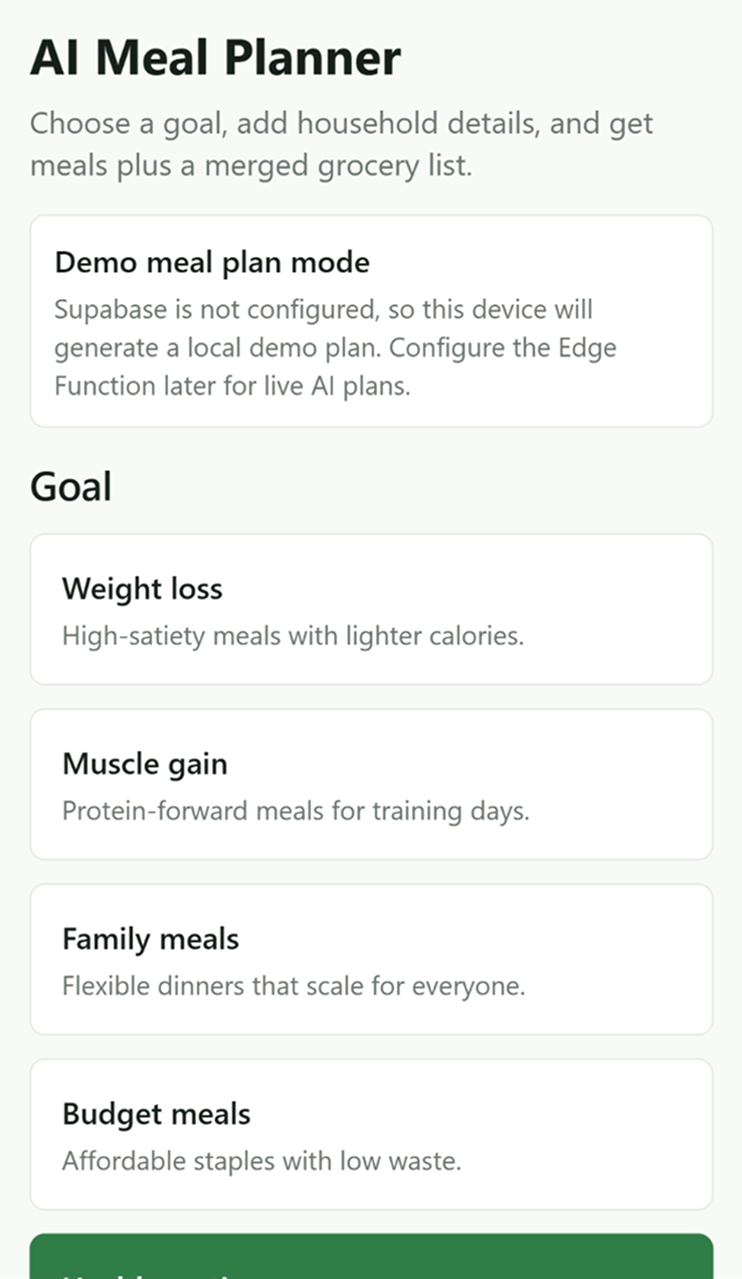
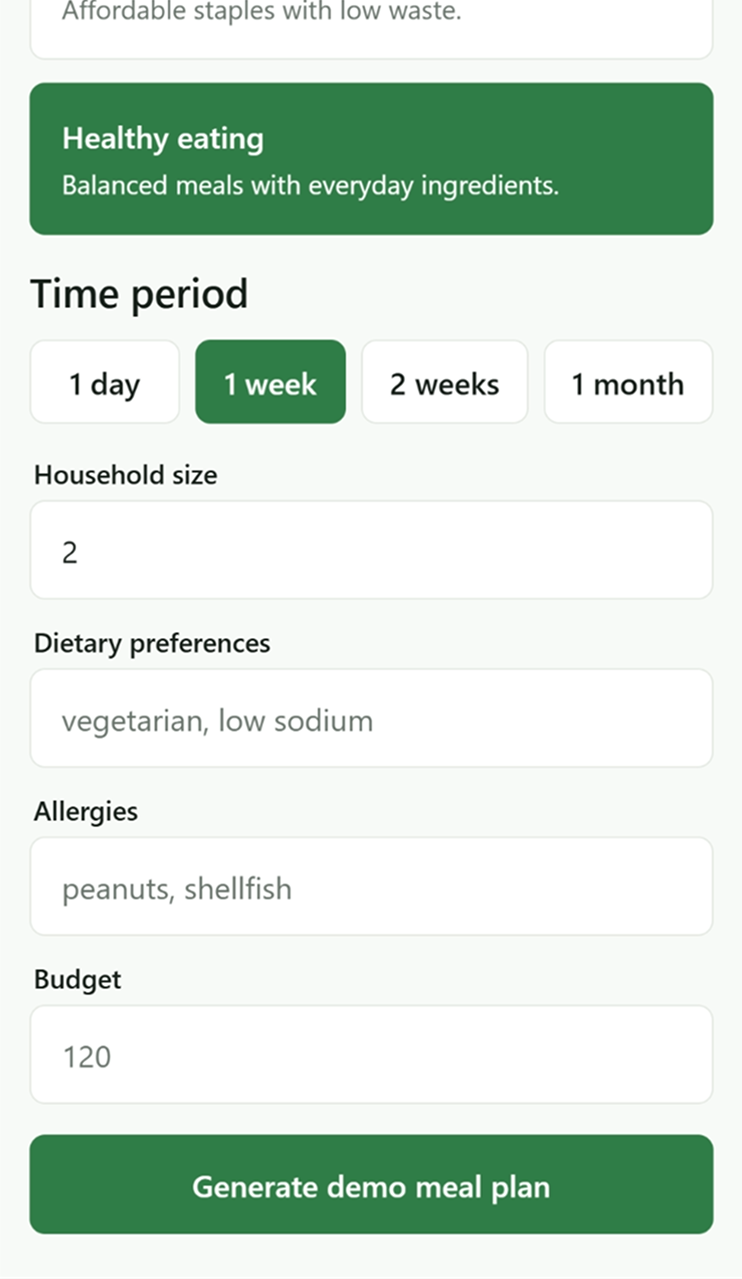
AI meal planning captures goals, household size, preferences, allergies, and budget before generation.

04

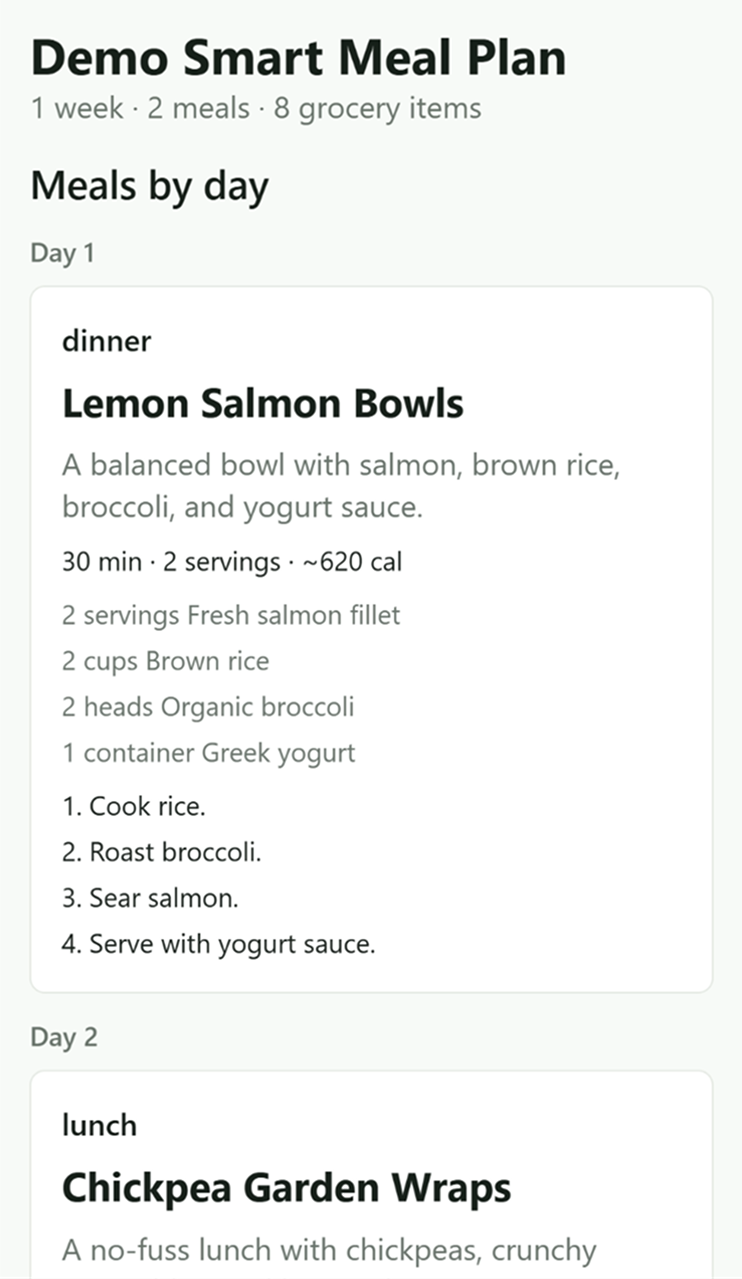
Generated meal plans return structured meals plus merged grocery-list-ready ingredients.

05

Users can choose an existing list, create a new one, and manage progress in a practical checklist flow.

User flow storytelling

From value proposition to grocery execution.

The case study follows the product in the same order a user experiences it: learn the value, browse groceries, inspect product details, generate a plan, convert meals into a grocery list, manage the checklist, and save household preferences.

A

Onboarding / Value Proposition

The first-run experience introduces the product through four clear value pillars.

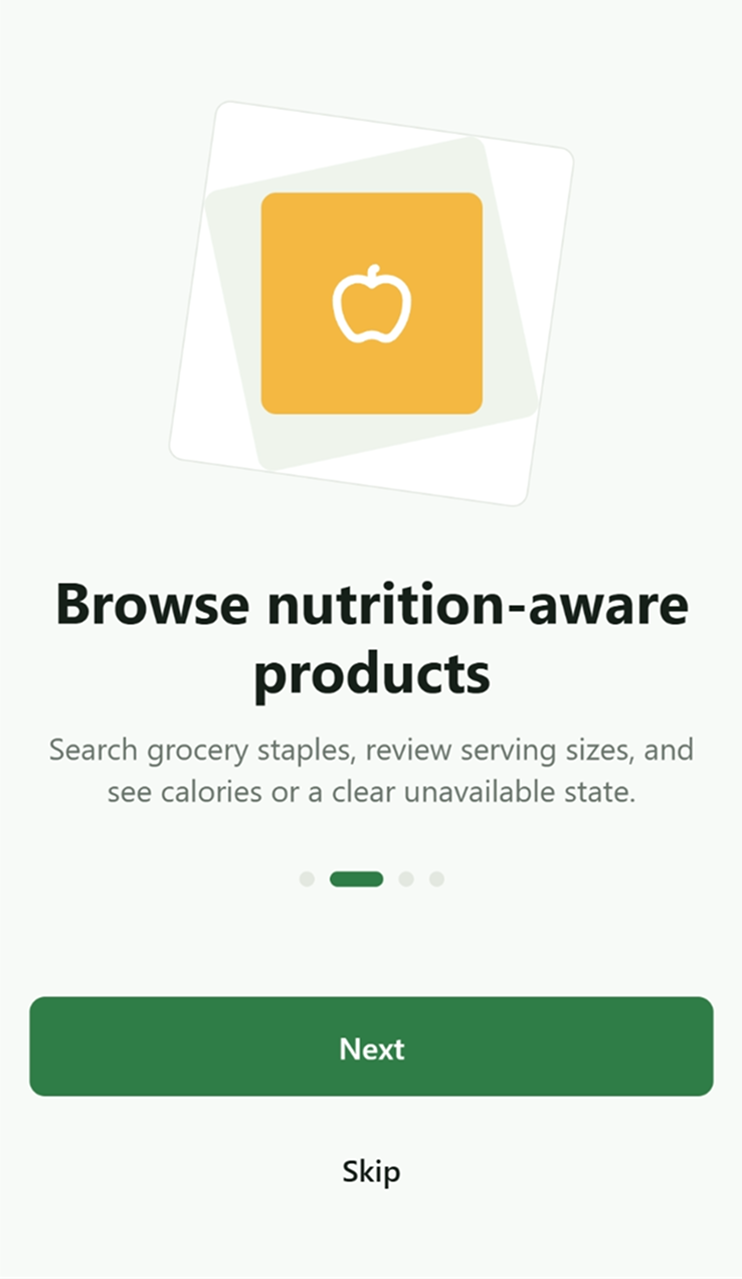
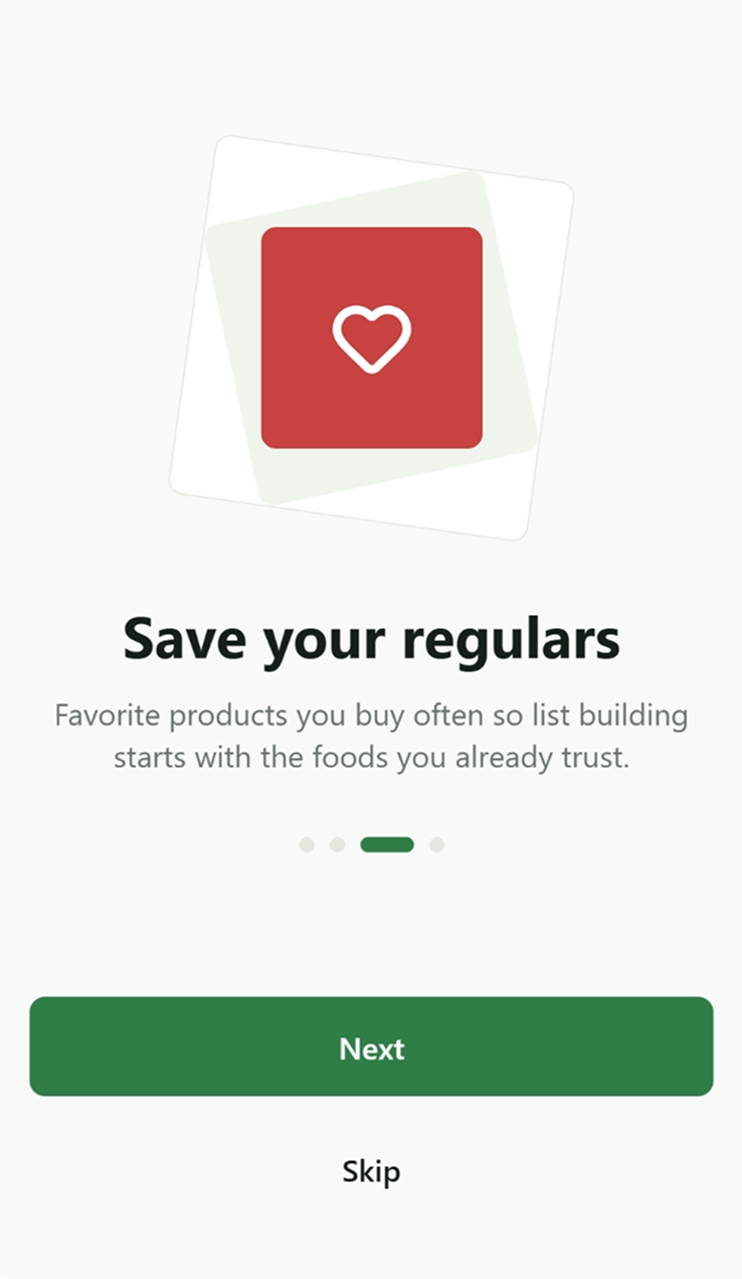
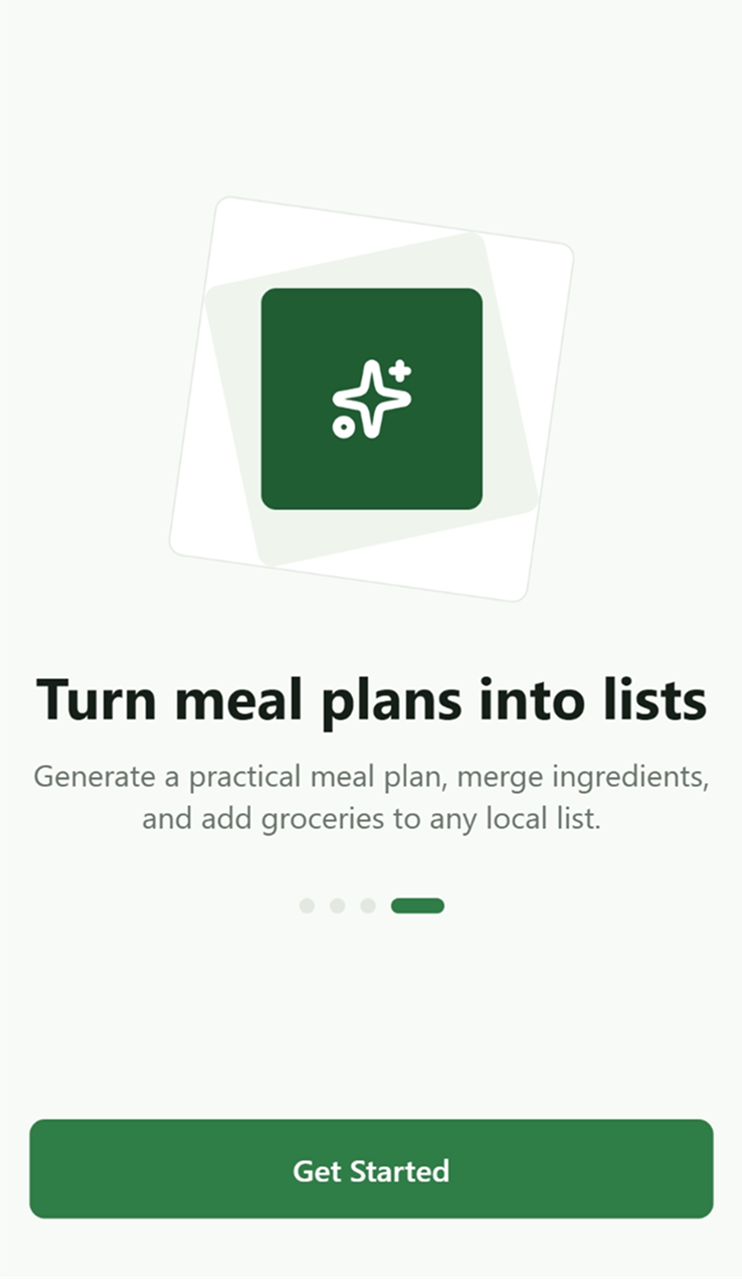
The onboarding screens explain what the app does without overloading the user: create smart grocery lists, browse nutrition-aware products, save regular items, and turn meal plans into organized grocery lists.

List creationProduct browsingFavoritesAI meal plan conversion
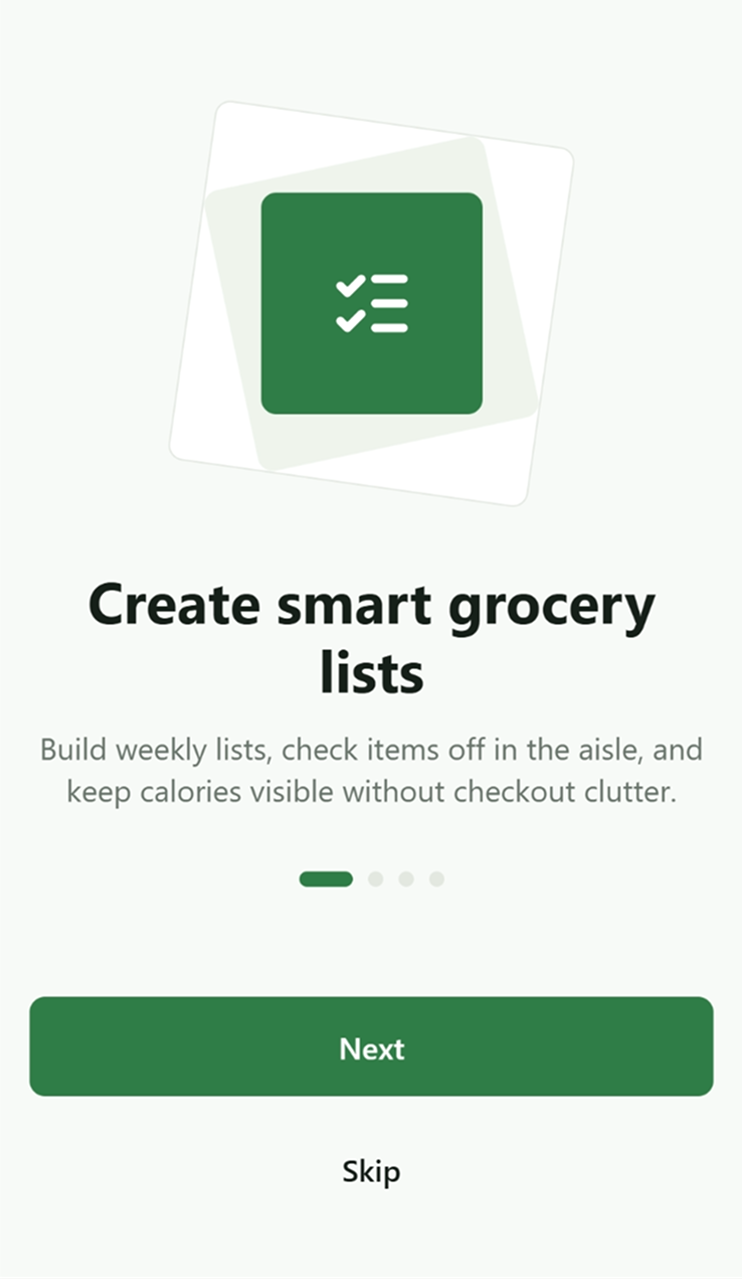
Create smart grocery lists onboarding screen
Browse nutrition-aware products onboarding screen
Save your regulars onboarding screen
Turn meal plans into lists onboarding screen
B

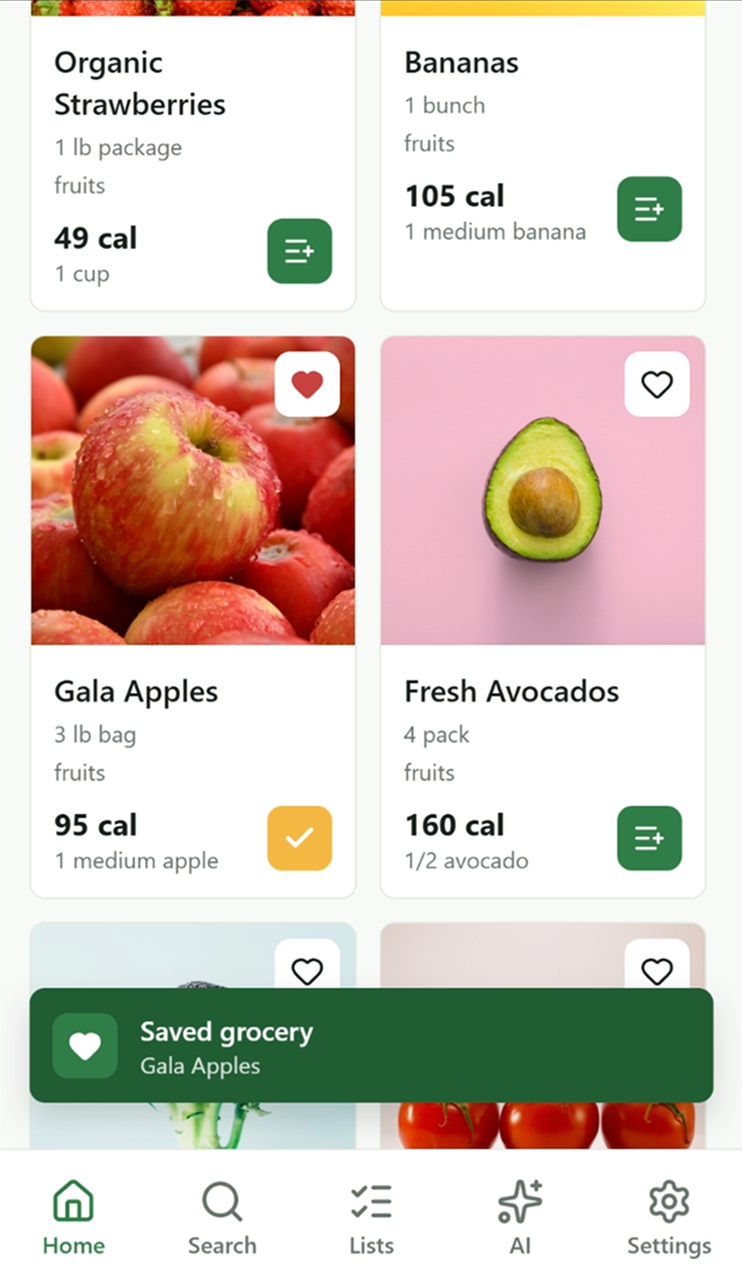
Home / Browse Experience / AI-powered grocery planning.

From product search to AI-powered grocery planning.

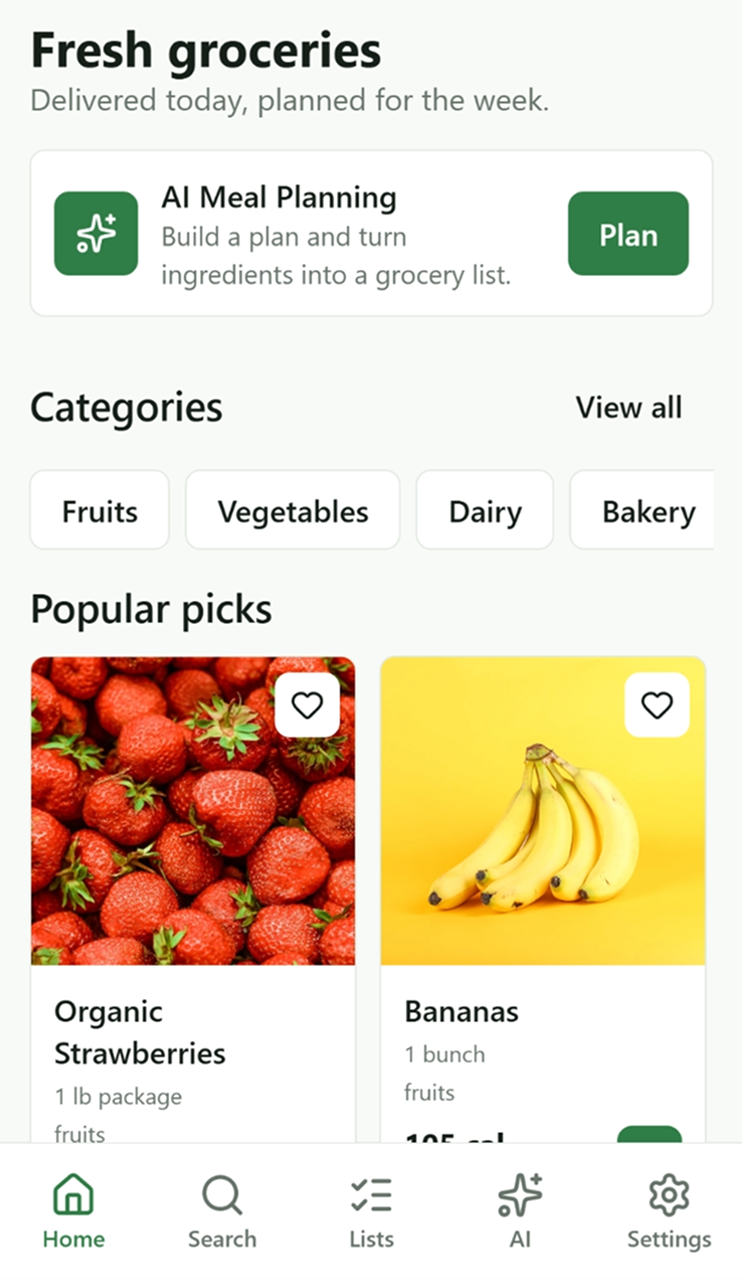
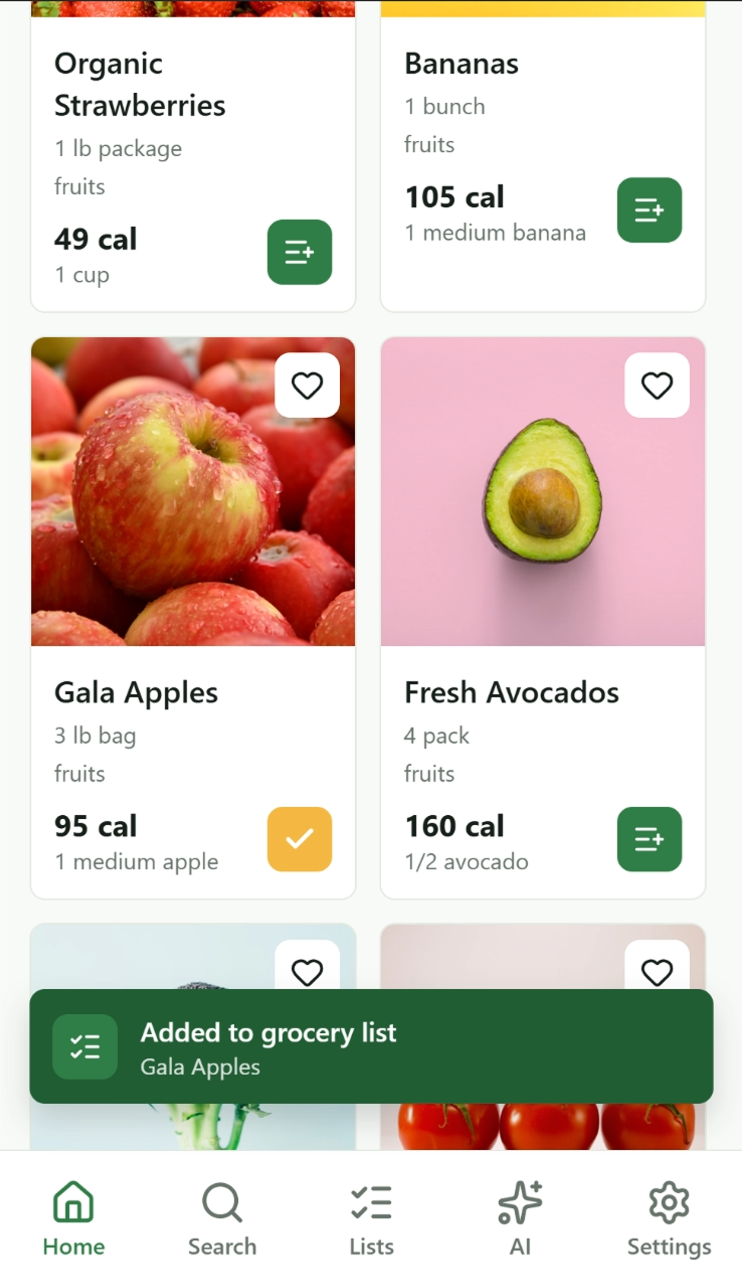
Users can search for products, browse items, and build their grocery list manually with a fast and intuitive experience. For a smarter shortcut, they can tap the AI button and generate a personalized grocery list based on their preferences, goals, budget, and dietary needs.

Manual list buildingCategory discoveryQuick addAI-generated lists
Fresh groceries home screen
Product grid showing strawberries bananas gala apples and avocados
Added to grocery list toast state
Saved grocery toast state
C

Product Details

AI meal plans turn into actionable grocery lists.

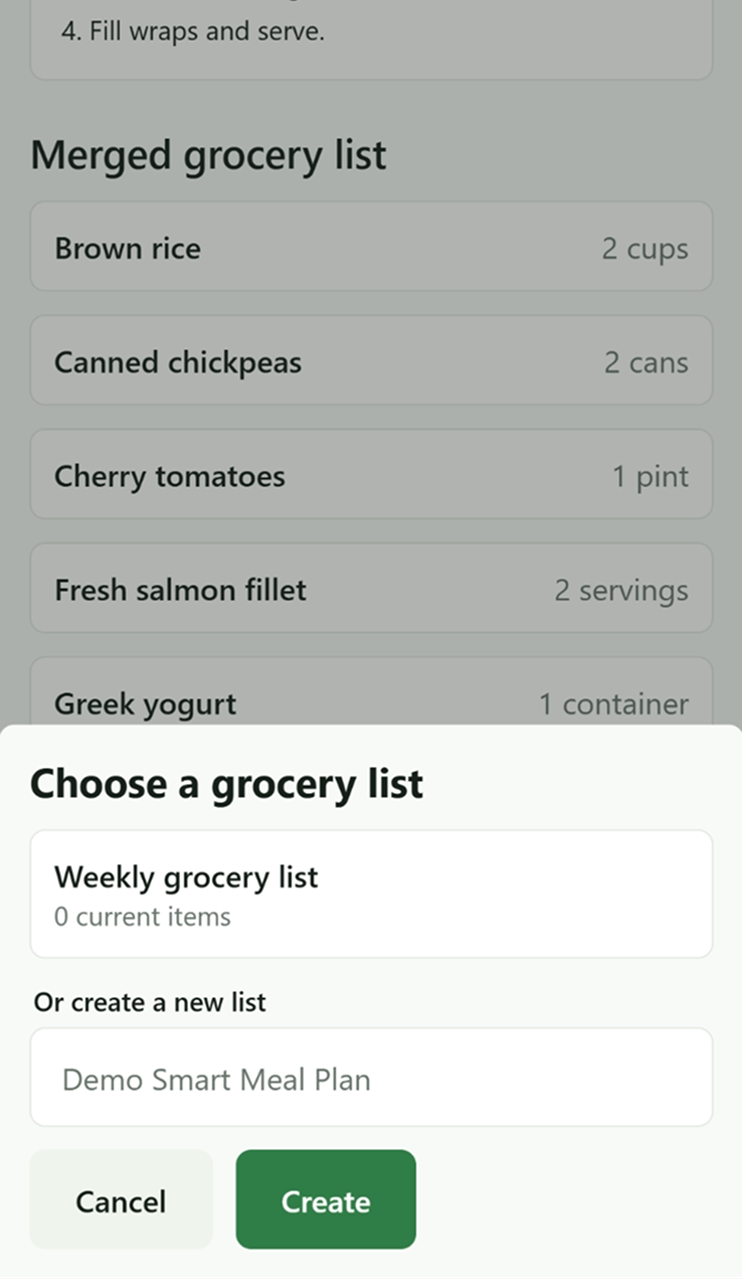
Once a meal plan is generated, the app transforms the selected meals into a merged grocery list, making it easy for users to review ingredients and add them directly to a shopping list. This flow helps users move from planning to action quickly, with a simple experience for organizing groceries into an existing list or creating a new one.

Nutrition visibilityStaple savingList selectionConfirmation state
Whole Wheat Bread product detail screen
Whole Wheat Bread screen with create new list CTA
Whole Wheat Bread added to grocery list confirmation
D

List management feels simple, visual, and fast.

Build and manage grocery lists with quick product actions.

Users can manage their grocery list from one clear interface while browsing products and taking quick actions. They can add items directly to a grocery list, save products for later, and receive immediate confirmation through toast feedback. This makes the experience more efficient and helps users stay organized while shopping.

Goal selectionQuick add actionsOrganized shoppingSave for later
AI Meal Planner goal selection screen
AI Meal Planner form with household preferences allergies and budget
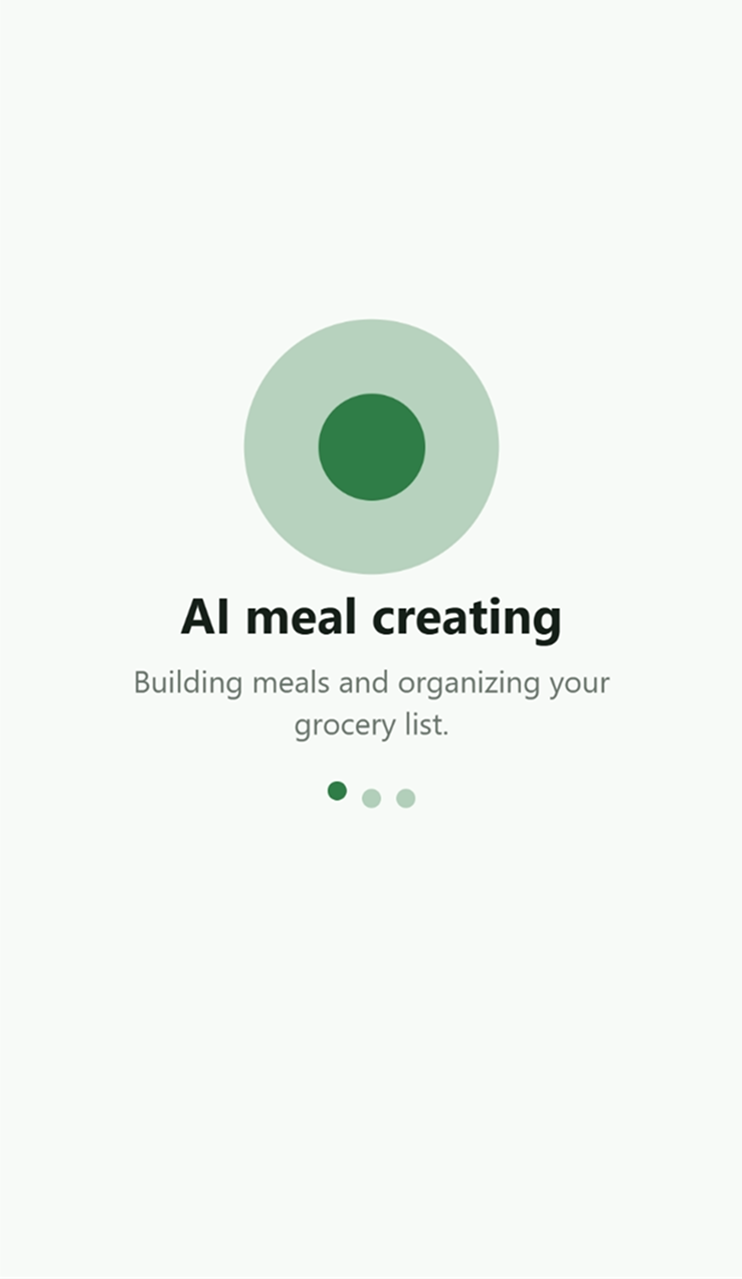
AI meal creating loading progress screen
E

AI Meal Plan Results

The meal plan becomes grocery-list-ready, not just a set of suggestions.

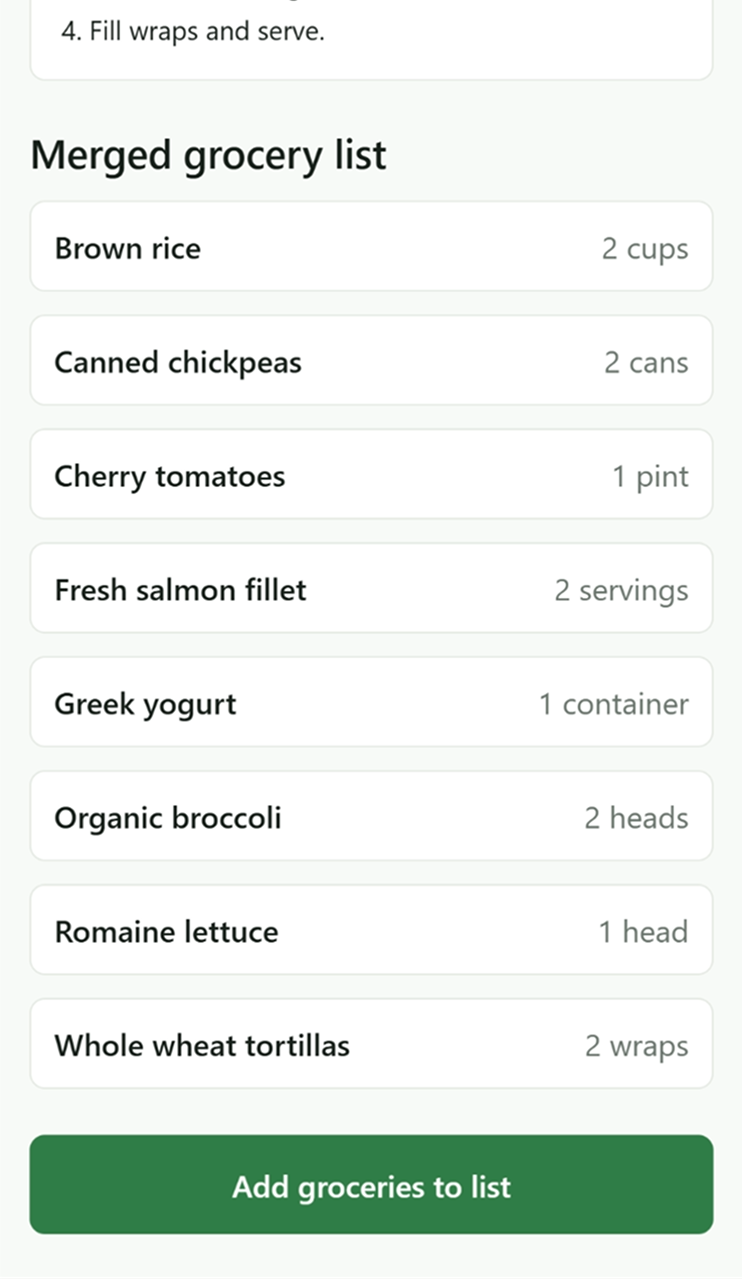
This is the strongest product moment. The AI returns structured meals by day, preparation context, and ingredient groupings. The system then merges duplicate ingredients into a grocery-ready list and lets users choose where to save it.

Meals by dayStructured ingredientsMerged grocery listChoose or create list
AI meal plan results and grocery list conversion composite
F

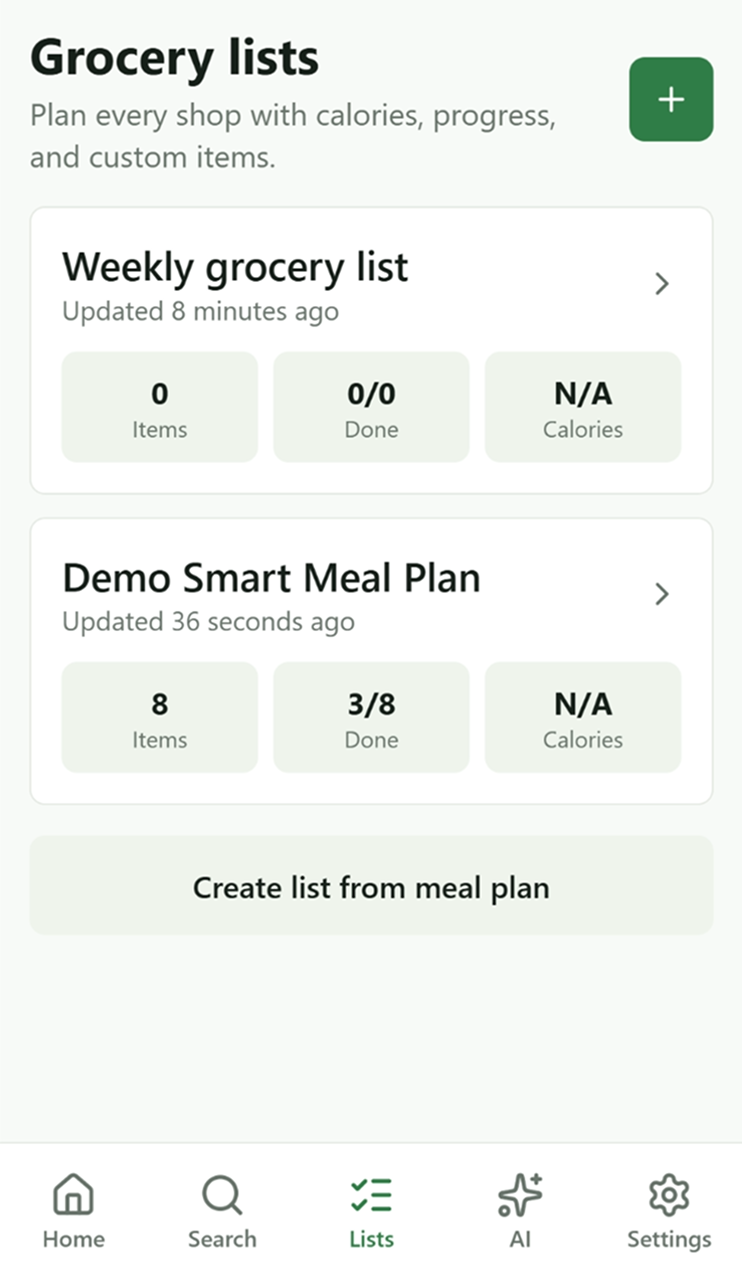
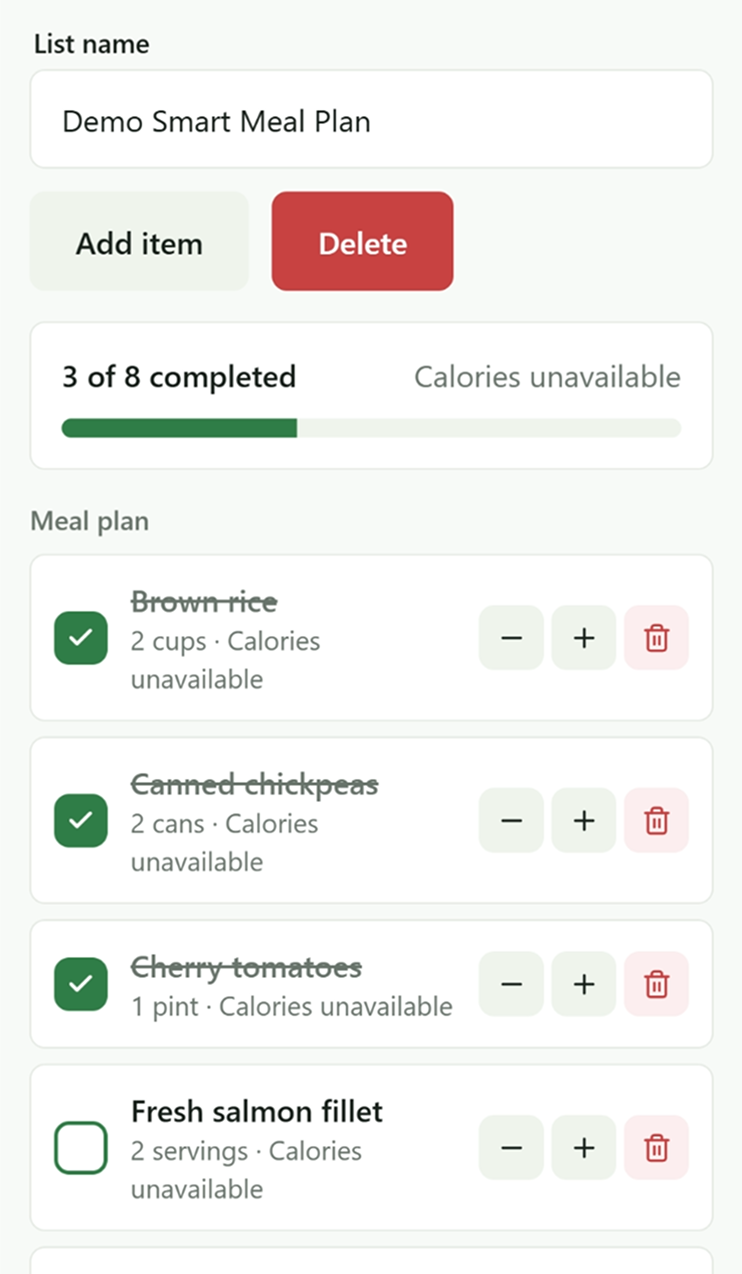
Grocery List Management

Converted ingredients become an operational checklist.

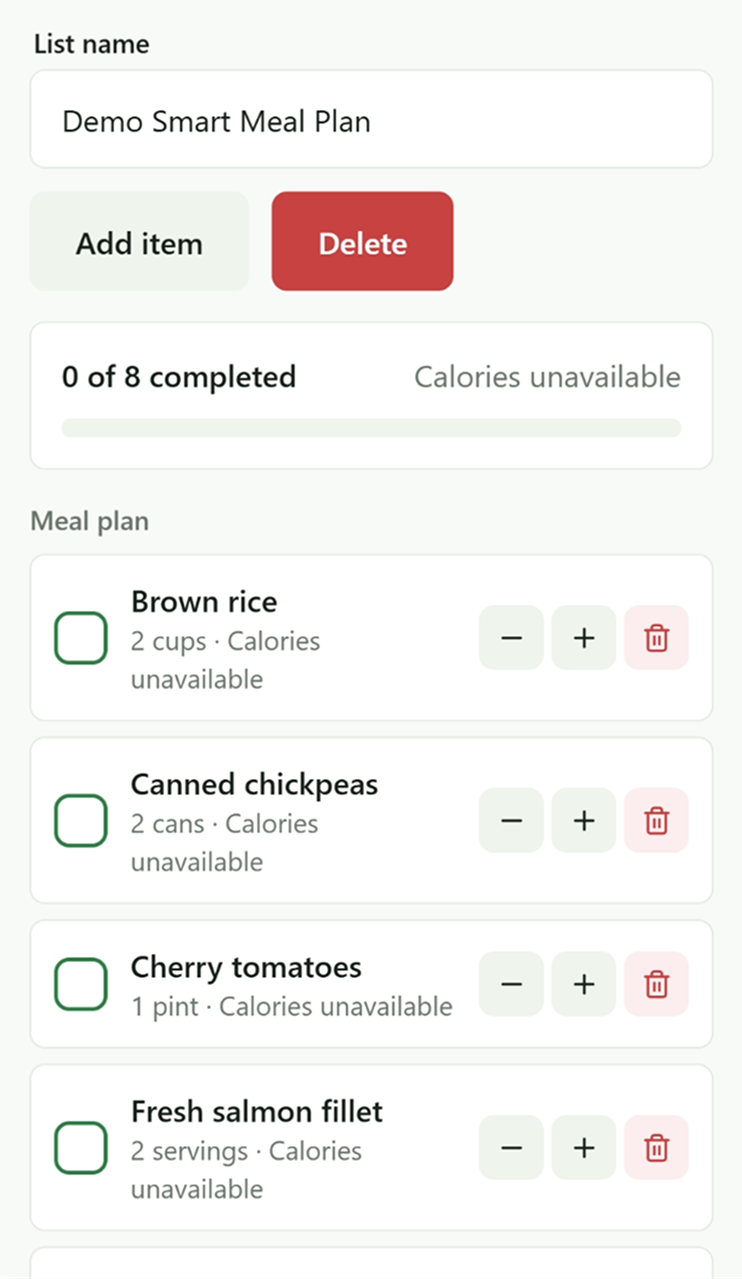
Once meals are converted into a list, the product shifts from planning to execution. The overview shows item counts, update state, and progress. The detail screen supports item completion, quantity adjustment, deletion, and clear progress tracking.

List overviewChecklist progressQuantity controlsOperational shopping flow
Grocery lists overview screen
Demo Smart Meal Plan list detail with 0 of 8 completed
Demo Smart Meal Plan list detail with 3 of 8 completed
G

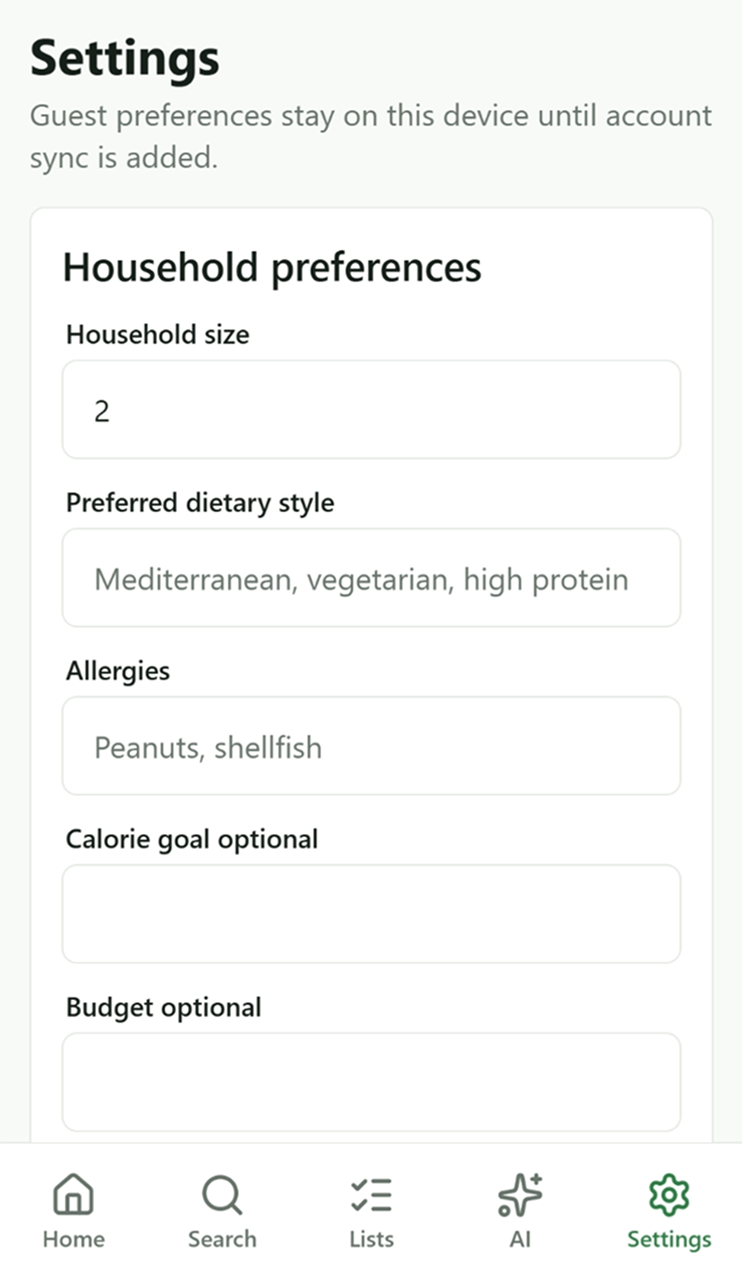
Settings / Household Preferences

Household context makes future planning more relevant.

The settings area stores household preferences locally so the product can support smarter meal generation and grocery planning over time. This also demonstrates a flexible guest/local-first model before full account sync.

Household sizeDiet preferencesAllergiesLocal-first flexibility
Settings and household preferences screen

Key features

A feature set designed around repeat grocery behavior.

The product pairs everyday grocery utility with AI assistance, making the advanced workflow feel grounded in familiar shopping habits.

Onboarding and value communication

Four concise screens explain the core product promise before users start shopping.

Grocery browsing by category

A clean home and product grid support quick discovery and repeat shopping behavior.

Nutrition-aware product details

Product screens surface serving size, calories, protein, tags, and item context.

Favorites / saved grocery items

Users can save regular products so frequent choices become easier to repeat.

Grocery list management

Lists support item counts, progress, quantity controls, completion, and deletion.

AI meal planner

Goal and preference inputs guide generation without requiring prompt-writing.

Merged grocery list generation

Meal plan ingredients are grouped and converted into list-ready grocery items.

Progress tracking

Completion states make the shopping flow feel practical and accountable.

Local-first guest mode

Device persistence supports useful behavior before full account sync.

Scalable backend with Supabase and RLS

The backend model supports profiles, lists, favorites, meal plans, and secure access patterns.

Design decisions

The interface makes planning feel direct, not heavy.

The visual system uses a restrained mobile-first layout, green success language, and progressive disclosure so users can move from discovery to planning without losing context.

01

A clean mobile-first layout keeps planning, browsing, and shopping actions easy to scan.

02

Card-based structures make grocery products, meals, and lists feel familiar and modular.

03

Green acts as both the primary action color and success state, creating a consistent decision language.

04

Snackbars and confirmation states make add/save actions feel immediate and trustworthy.

05

Progressive disclosure moves users from browse to detail to add, then from plan to convert to manage.

06

Visual clutter is minimized so nutrition, preferences, and grocery actions remain readable on small screens.

Technical implementation

Designed in Figma and implemented as a production-ready Expo app.

The architecture supports authenticated and guest flows, persistent local device state, secure server-side AI generation, and a scalable data model for profiles, lists, favorites, meal plans, and meal plan items. Supabase Edge Functions keep OpenAI calls server-side while returning structured data the app can turn into meals, ingredients, and merged grocery lists.

ExpoReact NativeTypeScriptExpo RouterSupabasePostgreSQLSupabase AuthRow Level SecuritySupabase Edge FunctionsOpenAI APIZustandTanStack QueryAsyncStorage / Secure StoreNativeWind / Tailwind CSS

Outcome / Reflection

A grounded AI product that connects UX strategy with real product execution.

This project demonstrates end-to-end product thinking: identifying a practical consumer problem, designing a mobile flow that reduces planning friction, and implementing the experience with a scalable technical foundation. The strongest product decision was treating AI as a utility layer, not a gimmick. Users define goals, receive structured meal plans, and convert decisions directly into grocery actions.

From a product designer perspective, the app shows strength in systems thinking, mobile UX, and front-end execution. It connects product browsing, saved behavior, household preferences, AI generation, and checklist management into one coherent consumer workflow.