Problem
Complex requirements, scattered information, and uncertainty about documents and next steps make immigration preparation difficult to navigate.
German Losada
Product Design / Immigration Support / Coded Prototyping
Simplifying Complex Immigration Journeys
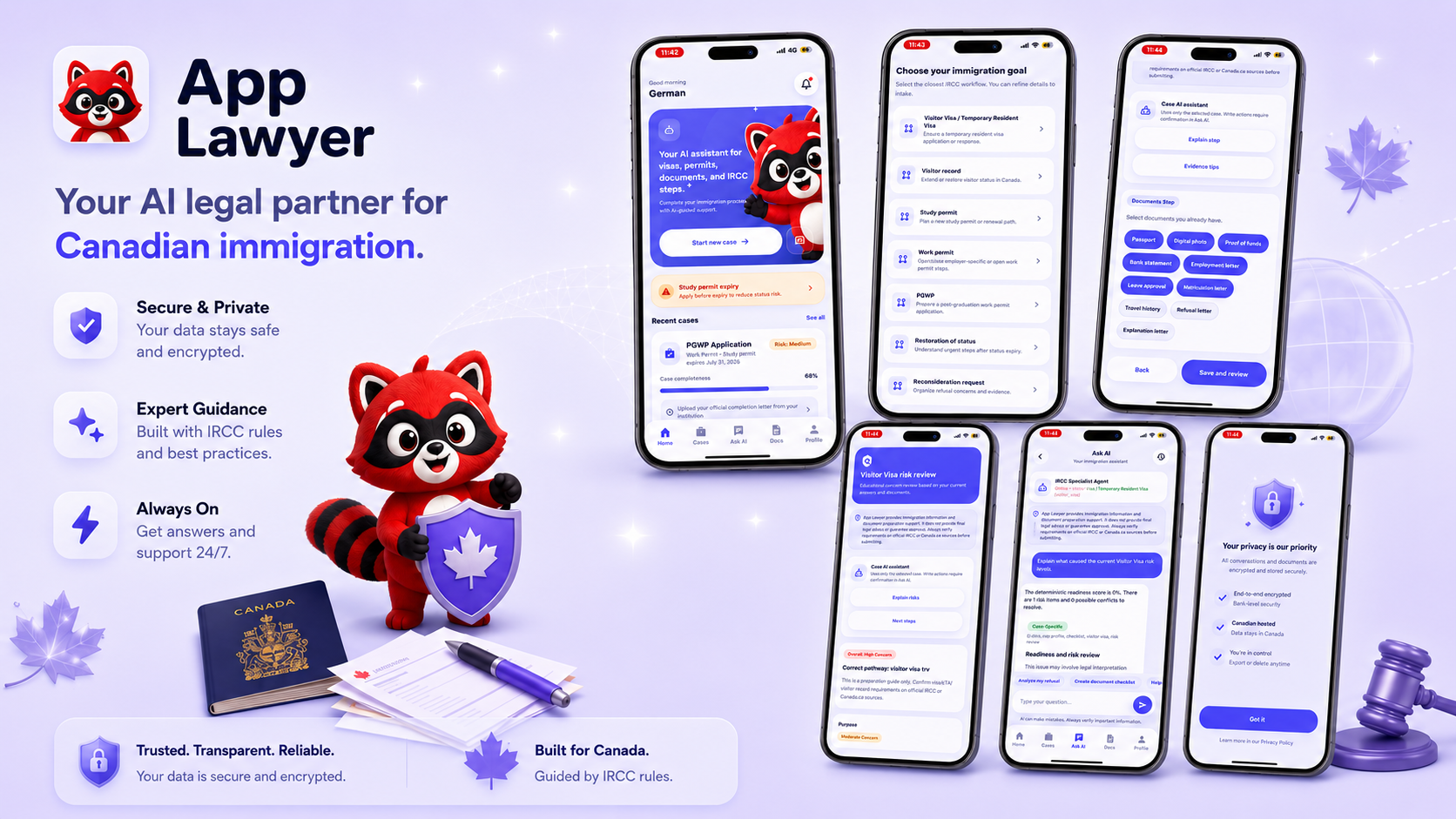
App Lawyer / YuYo is an AI-assisted mobile product in development for people preparing Canadian immigration applications. I focused on UI and interaction design, reusable components, and React-based prototypes to help make requirements, documents, and next steps understandable. The product supports preparation; it does not provide legal representation, official IRCC advice, or guaranteed outcomes.
My role
Product Designer (UI/UX) & Front-End Prototyping
Team
1 Product Designer, 1 UX Designer, 2 Developers
Platform
Mobile application
Focus
UI/UX, Design Systems, React Prototyping
Status
Product in development
02 - The problem
Applicants must interpret unfamiliar instructions, understand requirements, gather supporting documents, and keep track of what still needs attention. When those tasks are spread across different sources, it can be difficult to see how they fit together.
Complex requirements, scattered information, and uncertainty about documents and next steps make immigration preparation difficult to navigate.
How might we simplify application preparation through a guided, transparent, AI-assisted experience?
03 - UX discovery and direction
These artifacts make the design framing visible. The persona and journey are working assumptions for the product direction, not validated research findings.
Proto-Persona (Design Assumption)
Independent Applicant · 28
Preparing a Canadian Visitor Visa application. Comfortable with technology, with limited immigration knowledge.
Prepare her application independently.
Complex requirements, unclear documents, uncertain progress.
Step-by-step guidance, organized documents, and clear feedback.
01
Break complex applications into manageable steps.
02
Show what is complete and what needs attention.
03
Distinguish missing, uploaded, reviewing, and accepted states.
04
Connect review findings to specific corrections.
Design assumption for discussion; this journey is not based on observed user research.
Action · Find what applies
Friction · Rules feel scattered
Opportunity · Explain requirements in plain language
Action · Choose the right path
Friction · Unsure which route fits
Opportunity · Keep the selected path in context
Action · Share personal details
Friction · Too much to answer at once
Opportunity · Break questions into clear steps
Action · Gather supporting files
Friction · Unclear what is still needed
Opportunity · Show what is missing and received
Action · Understand potential gaps
Friction · Feedback can feel generic
Opportunity · Link findings to a correction
Action · Check what remains
Friction · Hard to judge readiness
Opportunity · Summarize preparation status
Global navigation opens into independent cases. Visitor Visa is the implemented intake shown here; other workflow capabilities are labeled by their current evidence.
Screens shown
Screens shown
UI shown · live AI unverified
Status UI shown · actions unverified
Planned / unverified
Planned and unverified mark requested product scope without claiming those features are implemented.
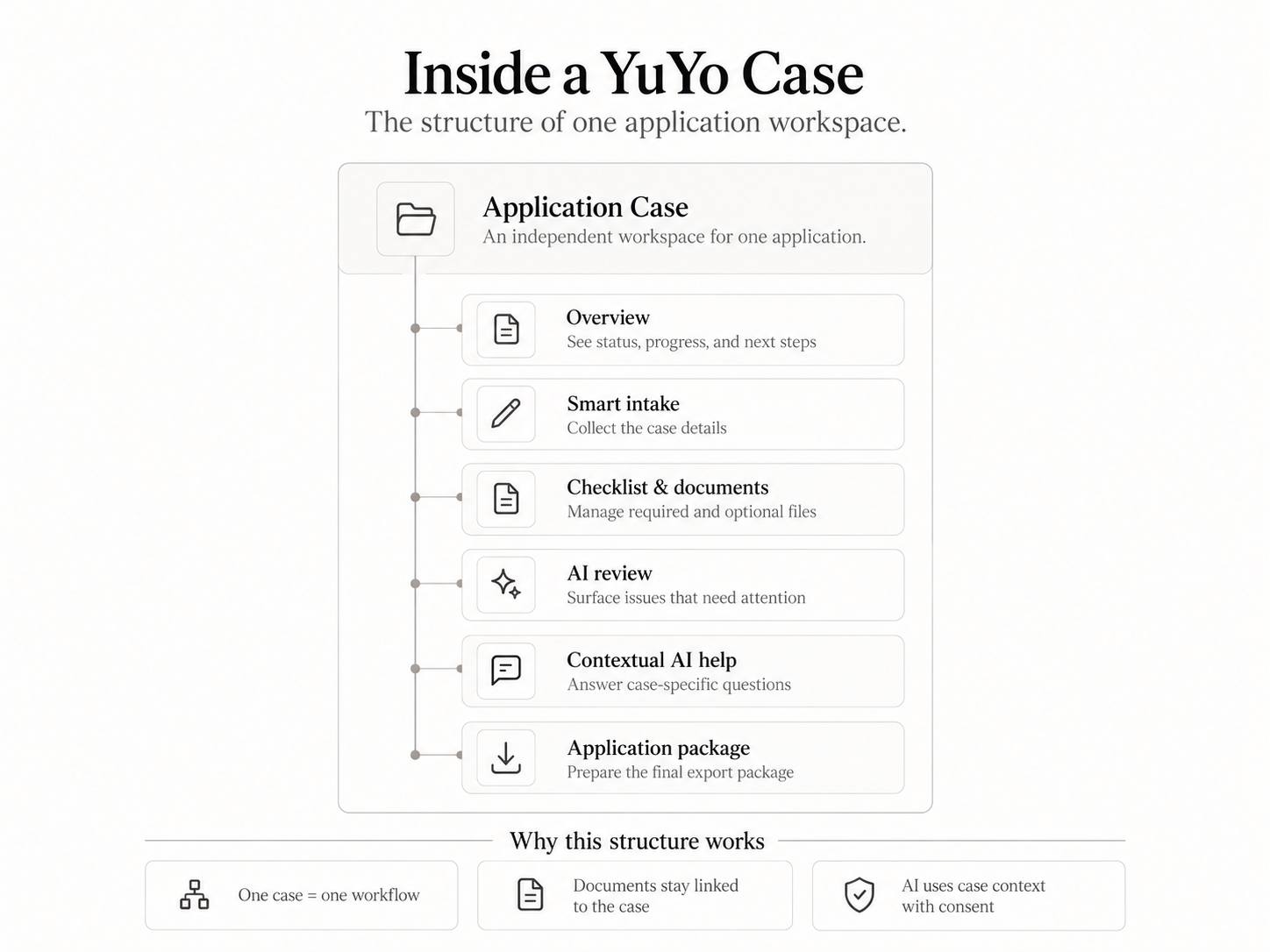
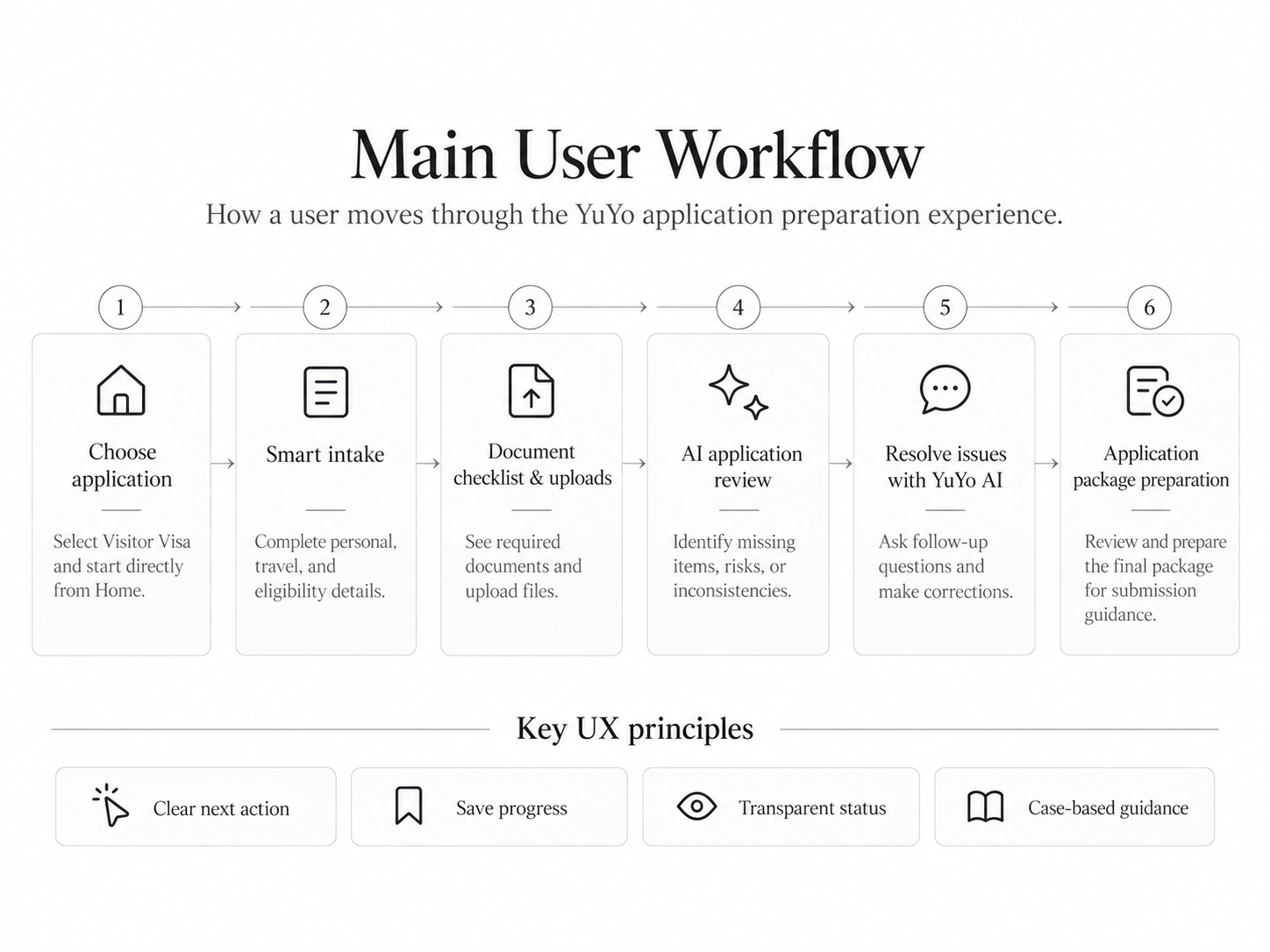
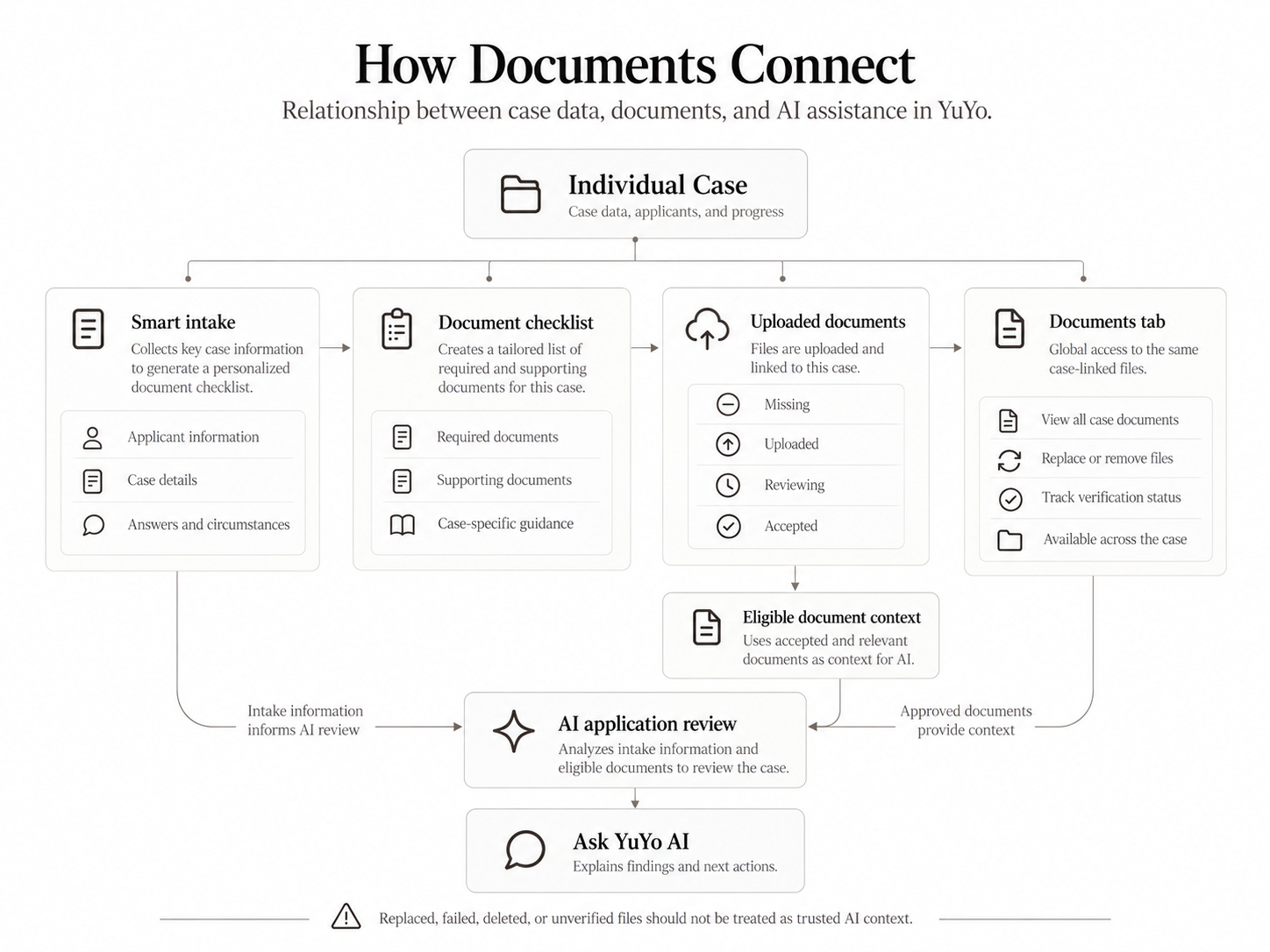
Explore the architecture, individual case workflow, main journey, and document relationships. These diagrams show intended product structure; Visitor Visa intake is the primary implemented workflow.
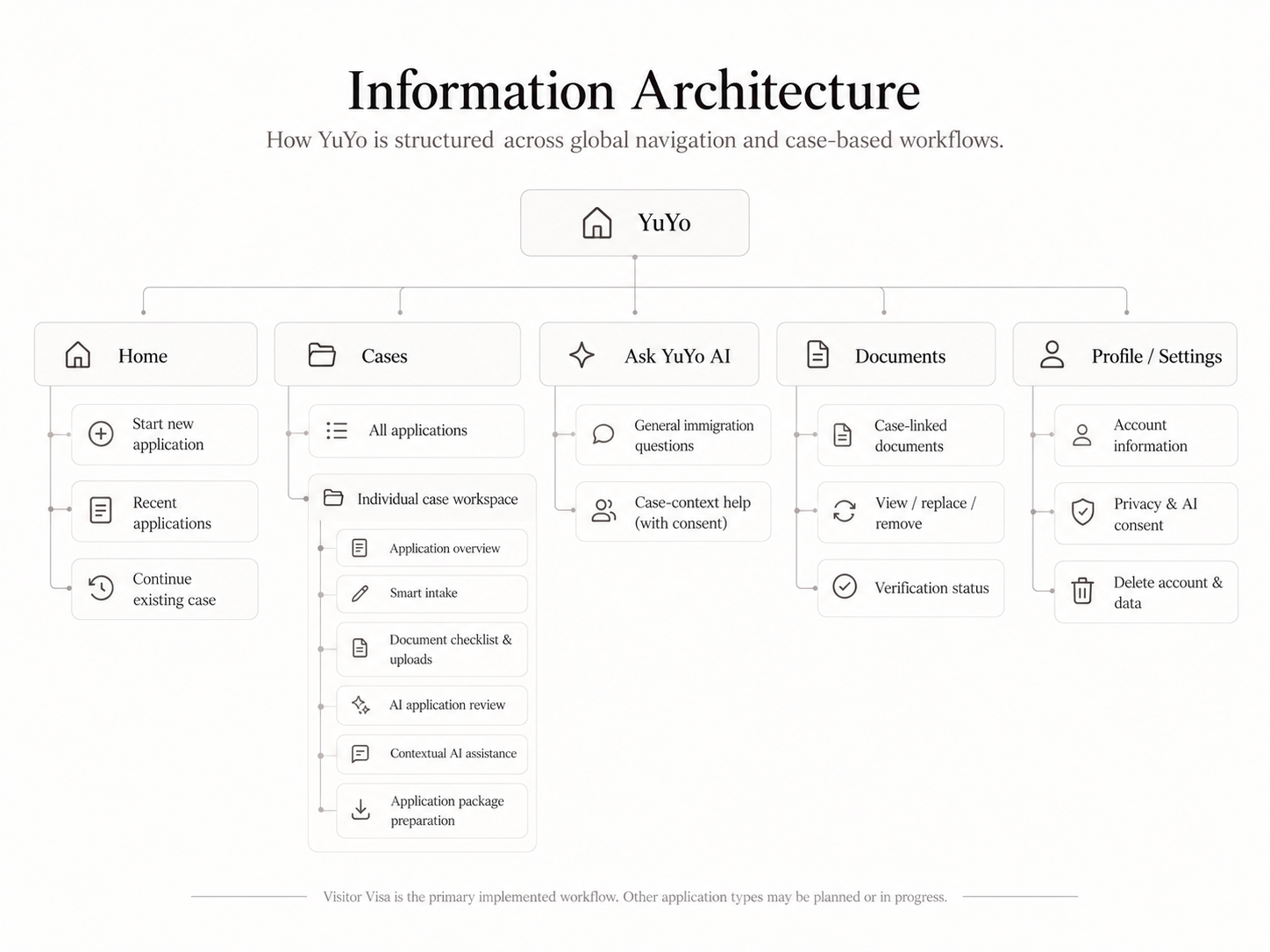
1 / 4 Information architecture
Swipe or use the arrows to explore each screen.
04 - My role and team collaboration
I worked alongside a UX Designer and two Developers. My contribution focused on UI hierarchy, interaction design, reusable interface patterns, design-system foundations, and functional front-end prototyping. We shared experience decisions; the developers contributed engineering implementation and feasibility input.
Shared UX direction
UX collaboration, information architecture, and experience design, connecting individual screens to the wider application journey.
Product Designer (UI/UX) & Front-End Prototyping
I translated experience requirements into UI hierarchy, reusable components, interaction states, and React-based prototypes for design-to-development discussion.
Engineering collaboration
Engineering implementation and technical feasibility input, helping connect interface behaviour with data dependencies and implementation constraints.
We connected UX direction, UI detail, and engineering through shared decisions. My contribution was making the visual and interactive intent concrete enough for the team to discuss and refine.
05 - Product UI exploration
The proposed product flow separates immigration applications into independent cases. Intake answers, documents, guidance, and progress belong to the relevant case, helping users understand what information applies to their current task.
Intended end-to-end scope, from account access to submission guidance. The screens below demonstrate parts of the interface; document processing is explicitly mocked, and persistence, AI review, package generation, and live integrations remain unverified.
Welcome → Home
Welcome and authentication lead to the Home dashboard, where users choose an application type or find a saved case.
Start or resume a case
Keep each application's answers, documents, and progress together.
Complete intake and save
Collect personal and application information in manageable steps, with visible progress.
Prepare and check documents
Explain required documents, accept uploads, and distinguish processing from verification.
Review findings and correct
Connect each finding to the relevant intake answer or document, with an explanation of why it matters.
Check readiness and prepare export
Assess preparation completeness, not the likelihood of government approval.
Launch and trust
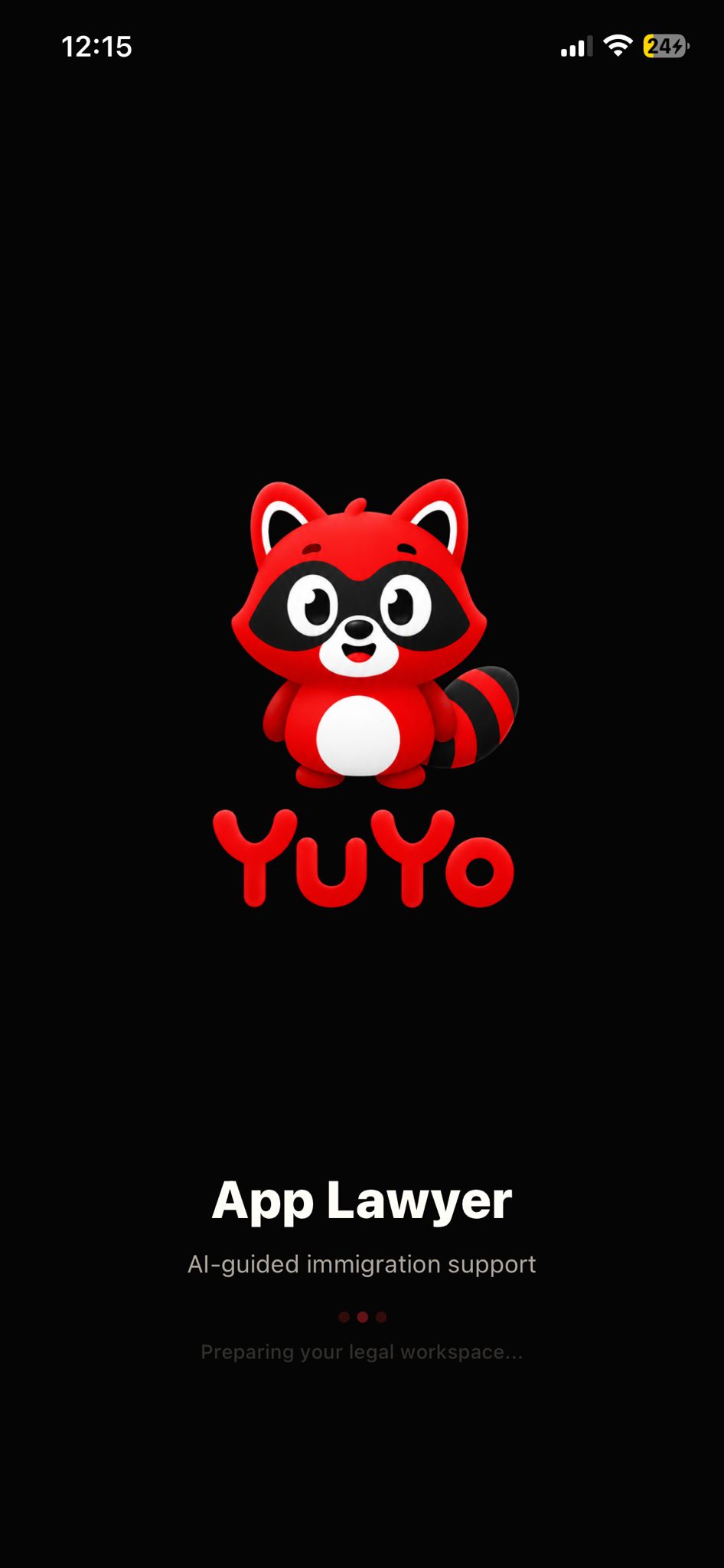
The splash screen introduces App Lawyer with a friendly brand signal while keeping the product grounded in immigration support and case preparation.
Onboarding
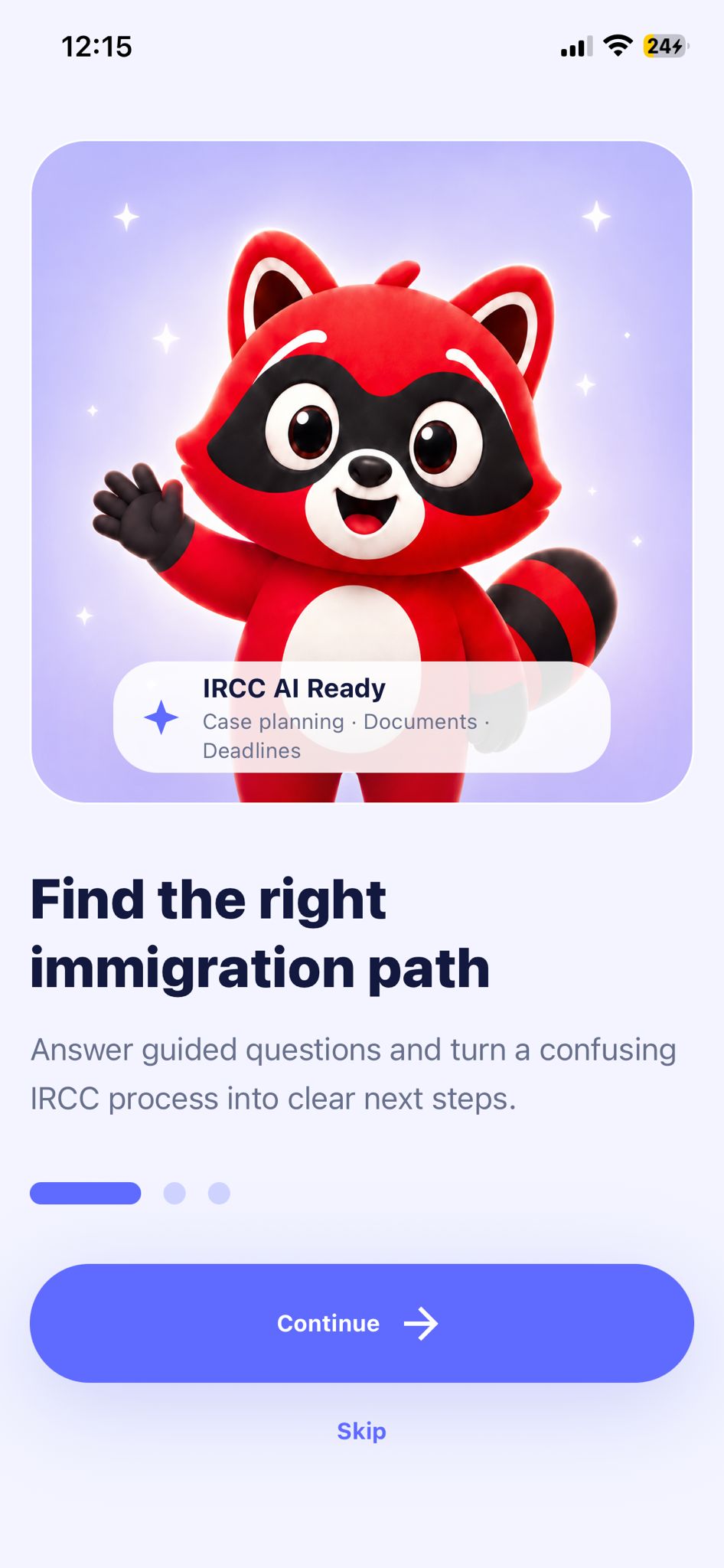
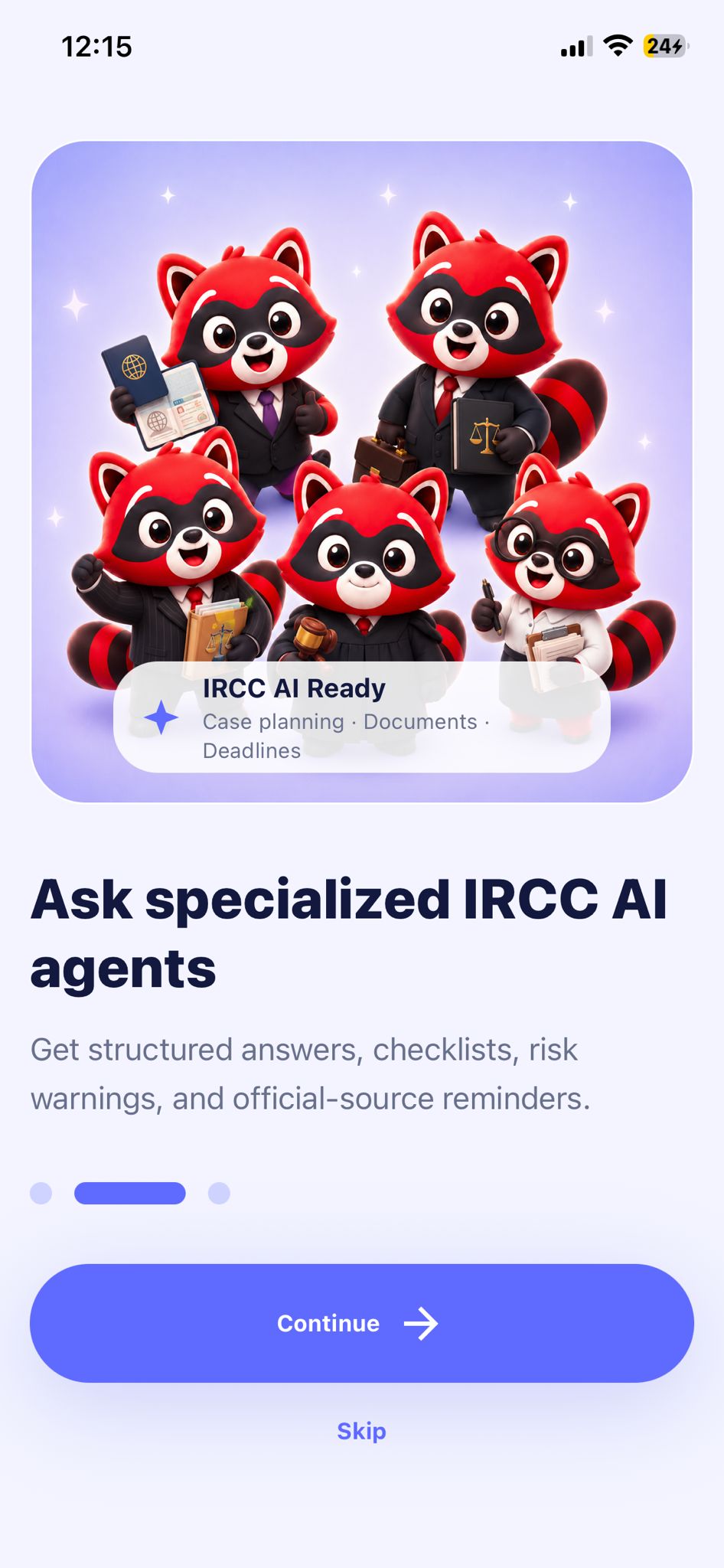
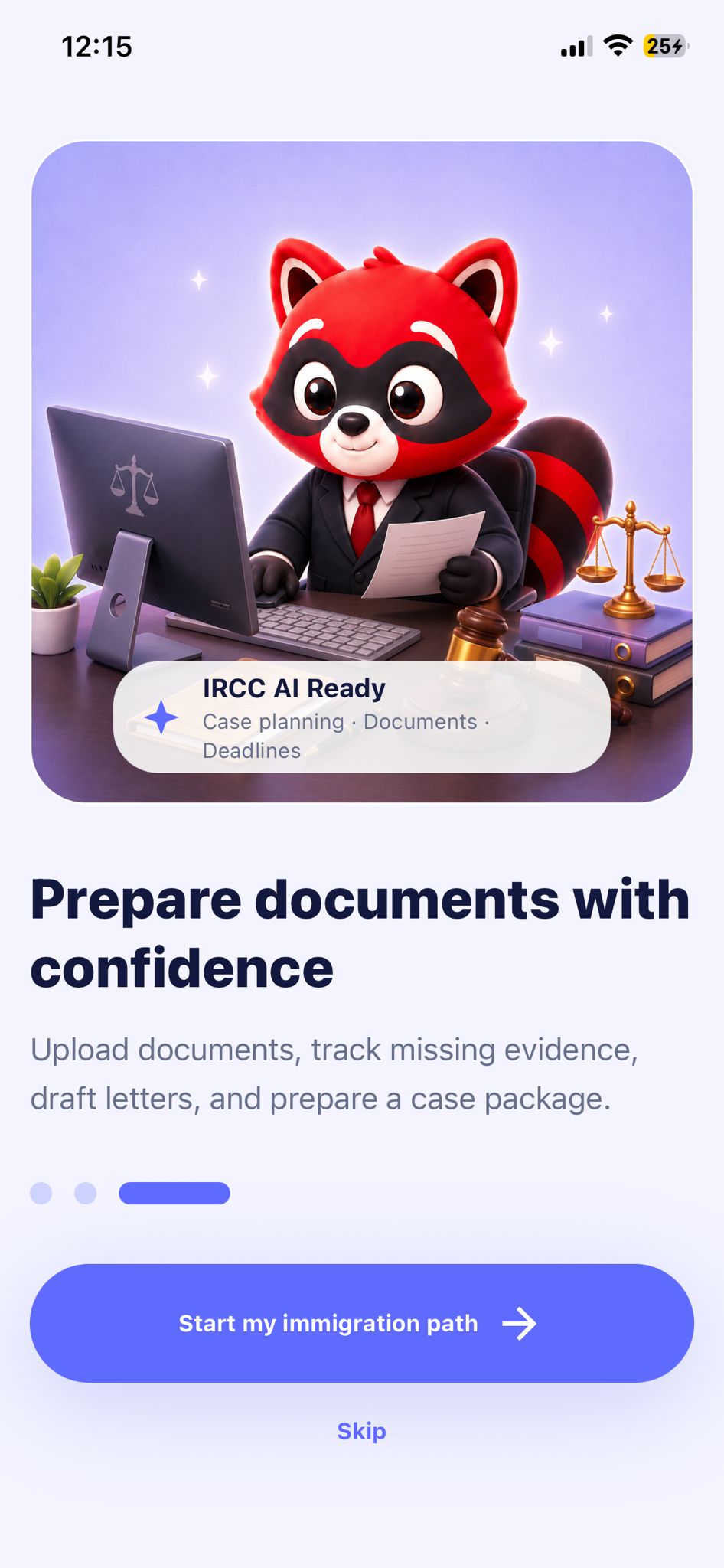
The onboarding sequence introduces immigration pathfinding, AI-assisted guidance, and document preparation without overwhelming the user before sign-in.
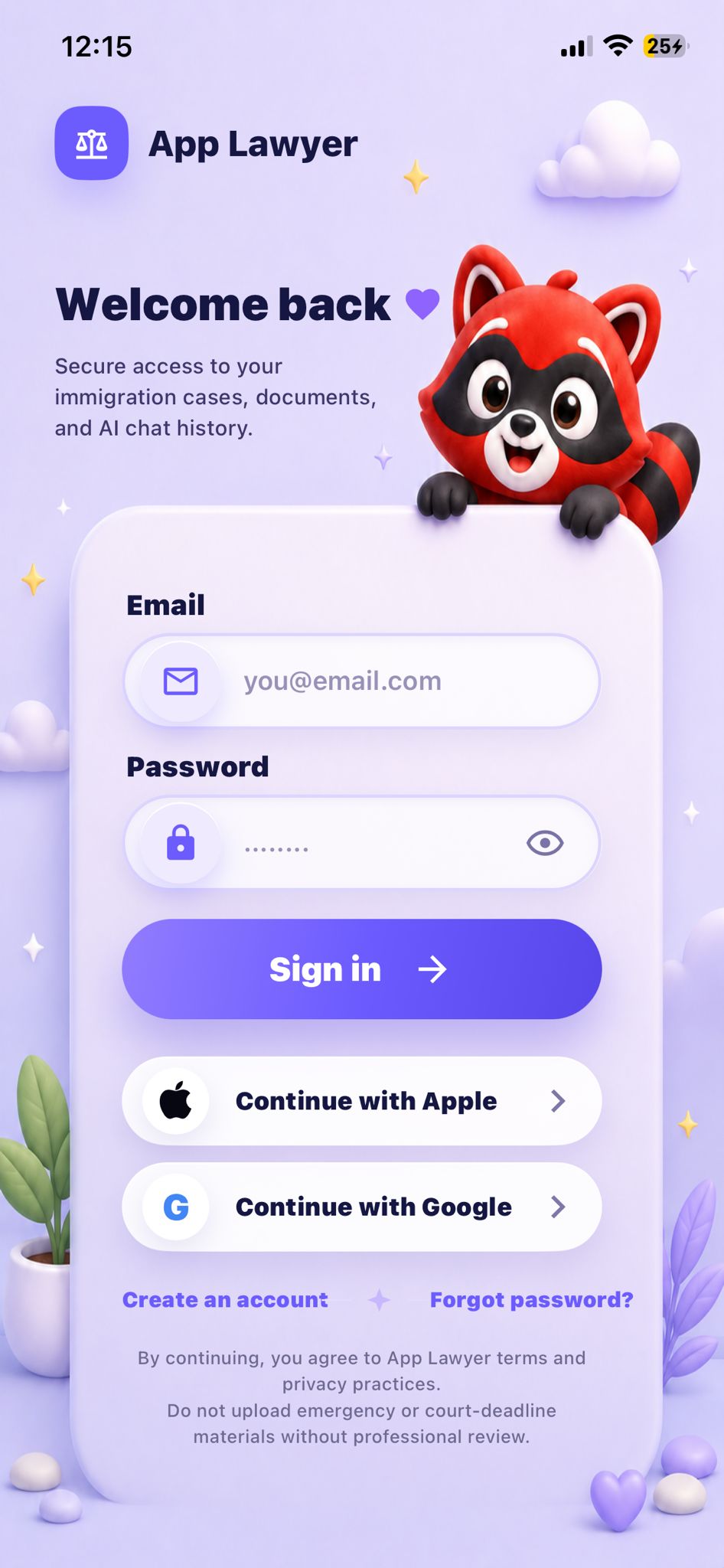
Authentication
The sign-in design brings account access before the case workspace. Email and social options are visible interface choices; this screen alone does not establish authentication integrations or data security.
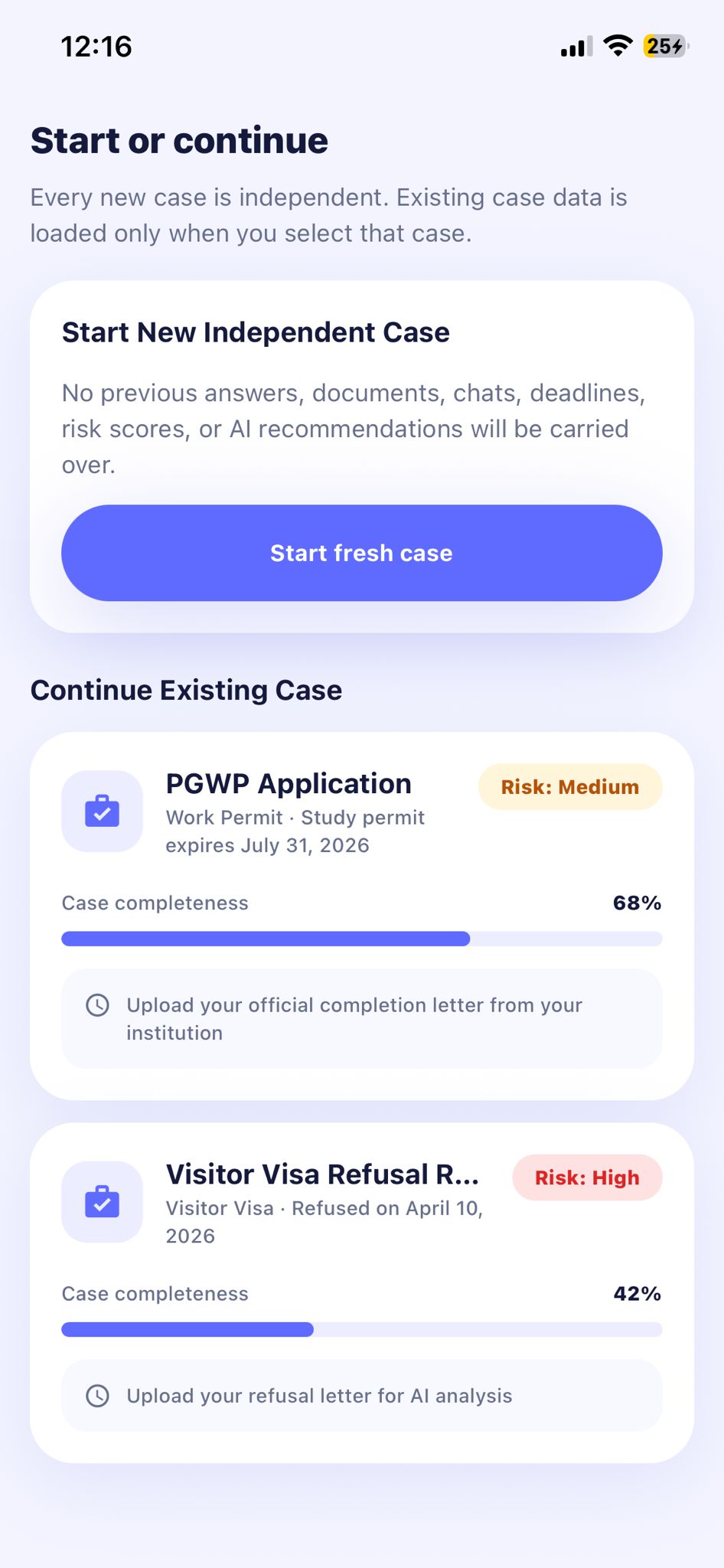
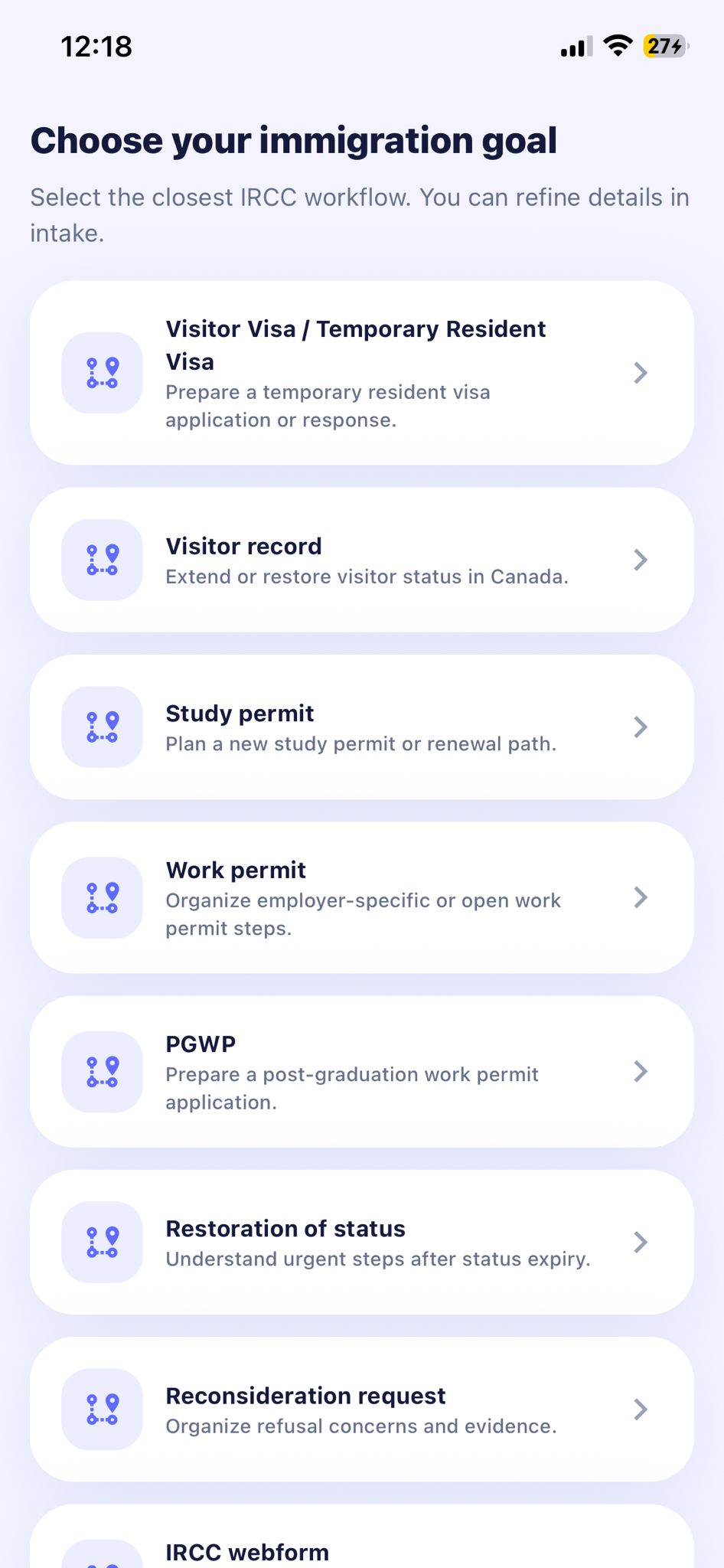
Case workspace
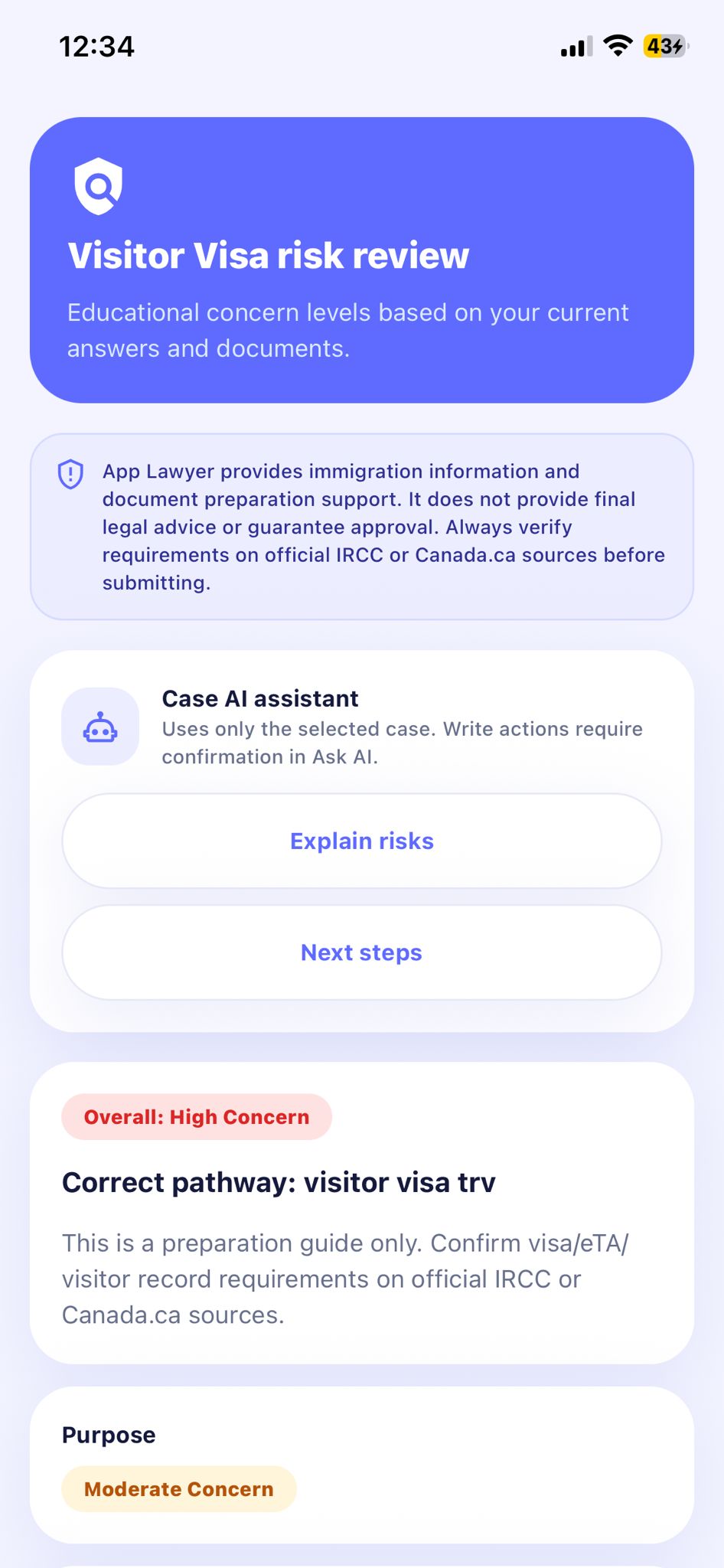
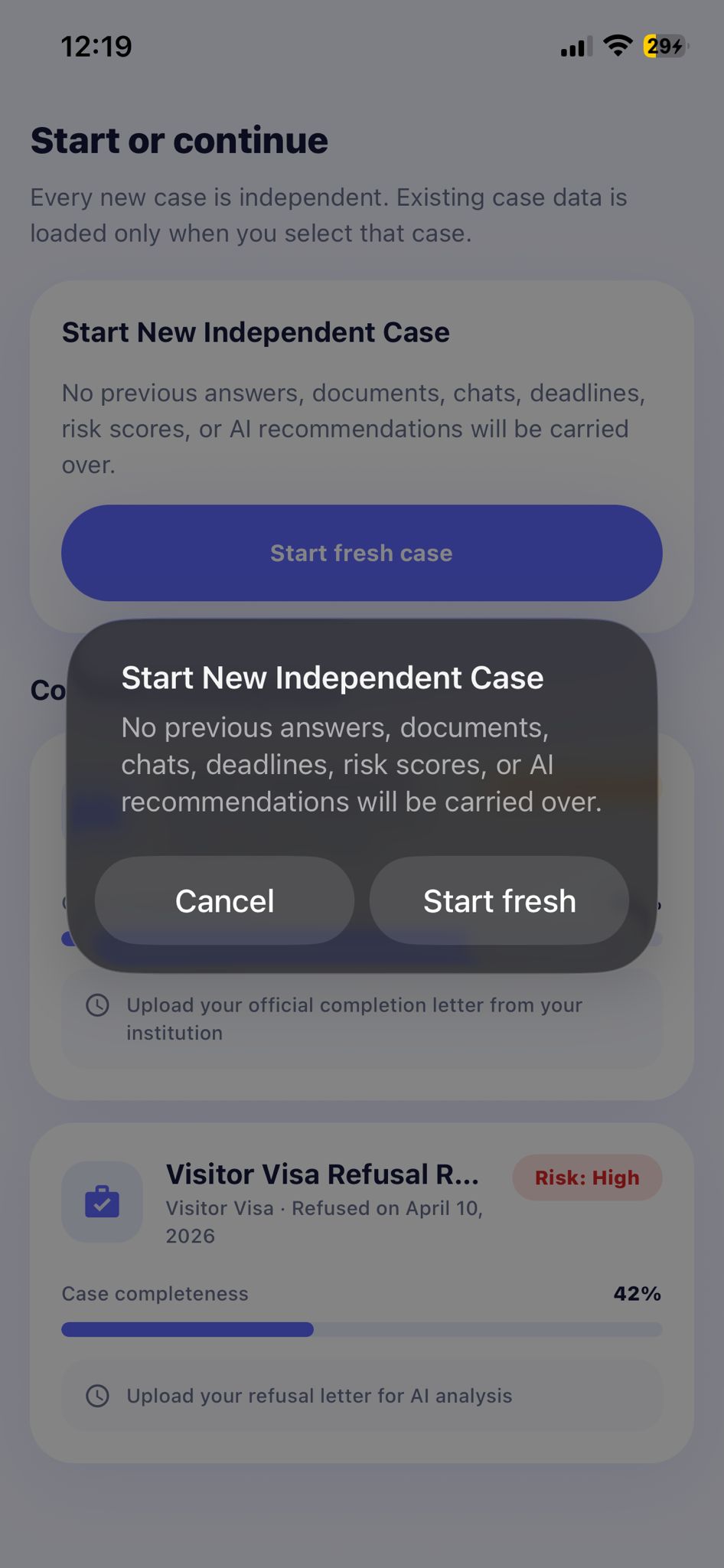
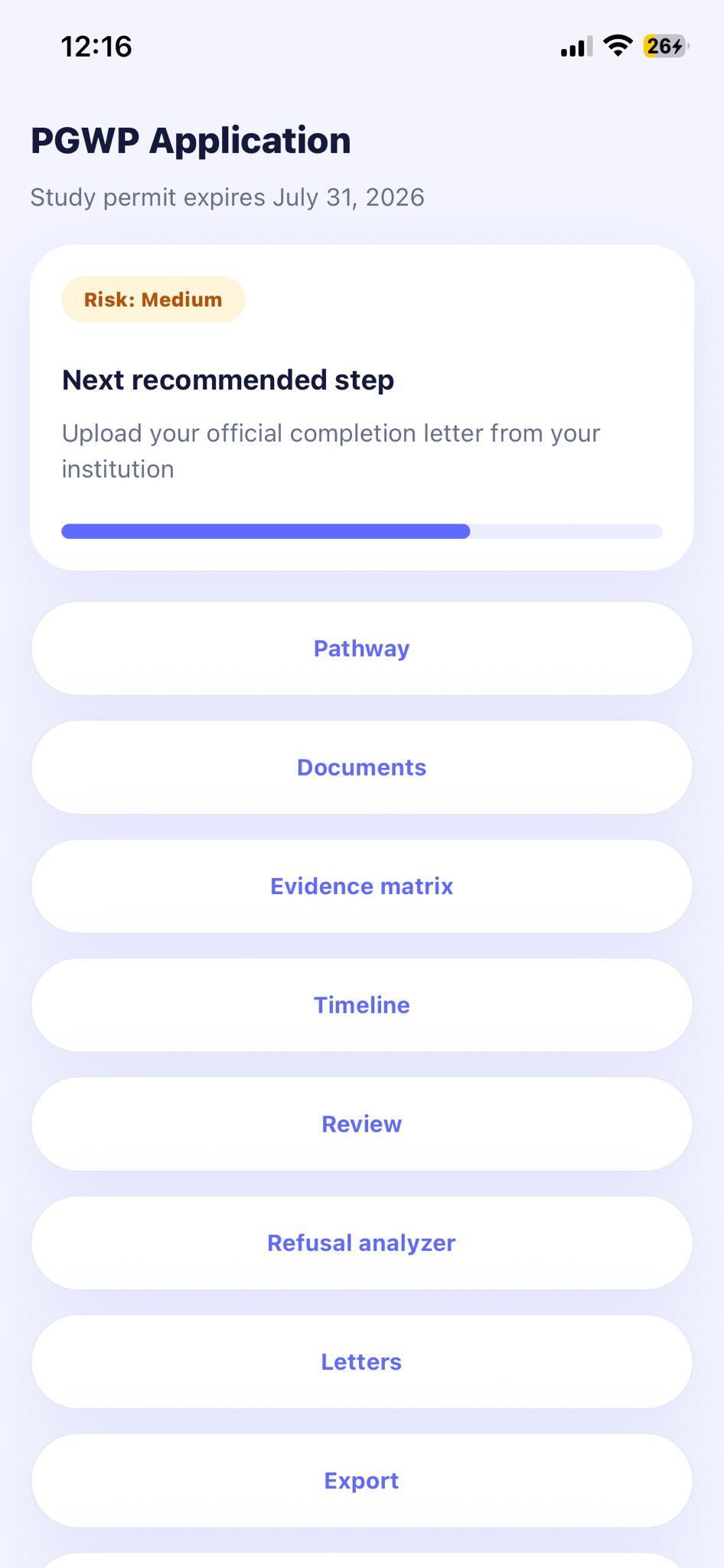
Home gives application selection a clear starting point. The intended flow carries that choice into a new case without asking again, while saved cases resume in their own context. The case cards shown here pair progress with a next action; their risk labels are a refinement priority, not an approval prediction.
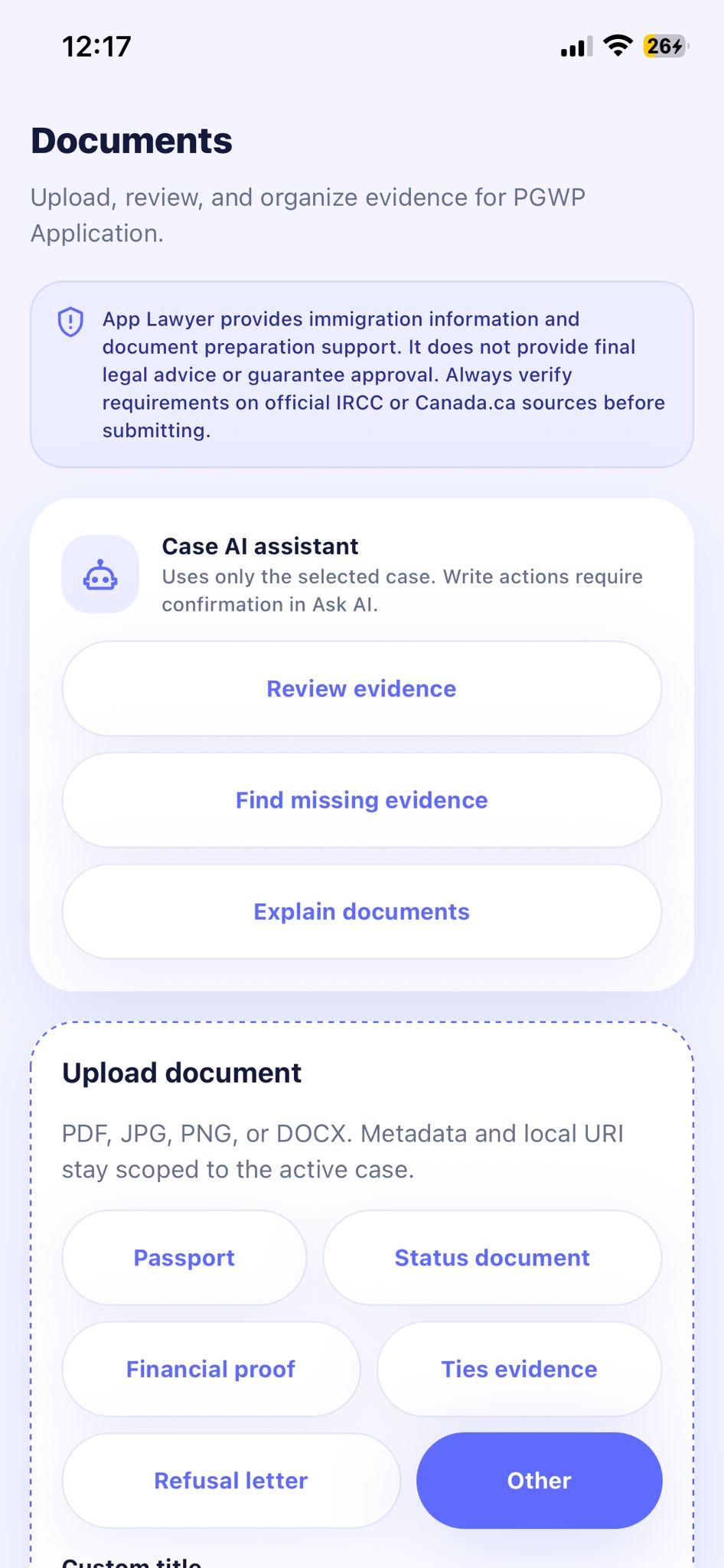
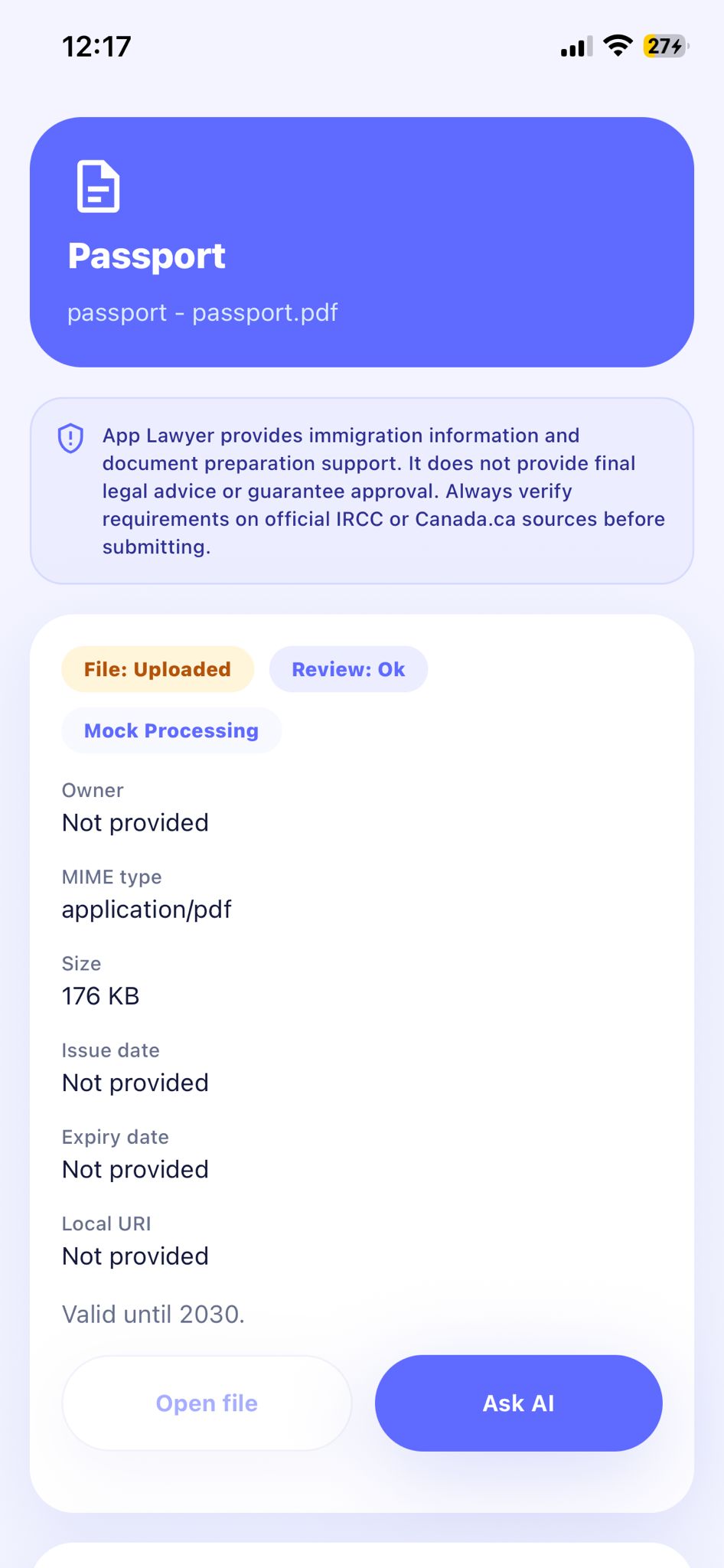
Document organization
The document detail separates file status from review status and explicitly labels mock processing. That distinction matters: an uploaded file is not automatically verified evidence. The intended AI guidance would explain missing or relevant documents; its accuracy and integration still require validation.
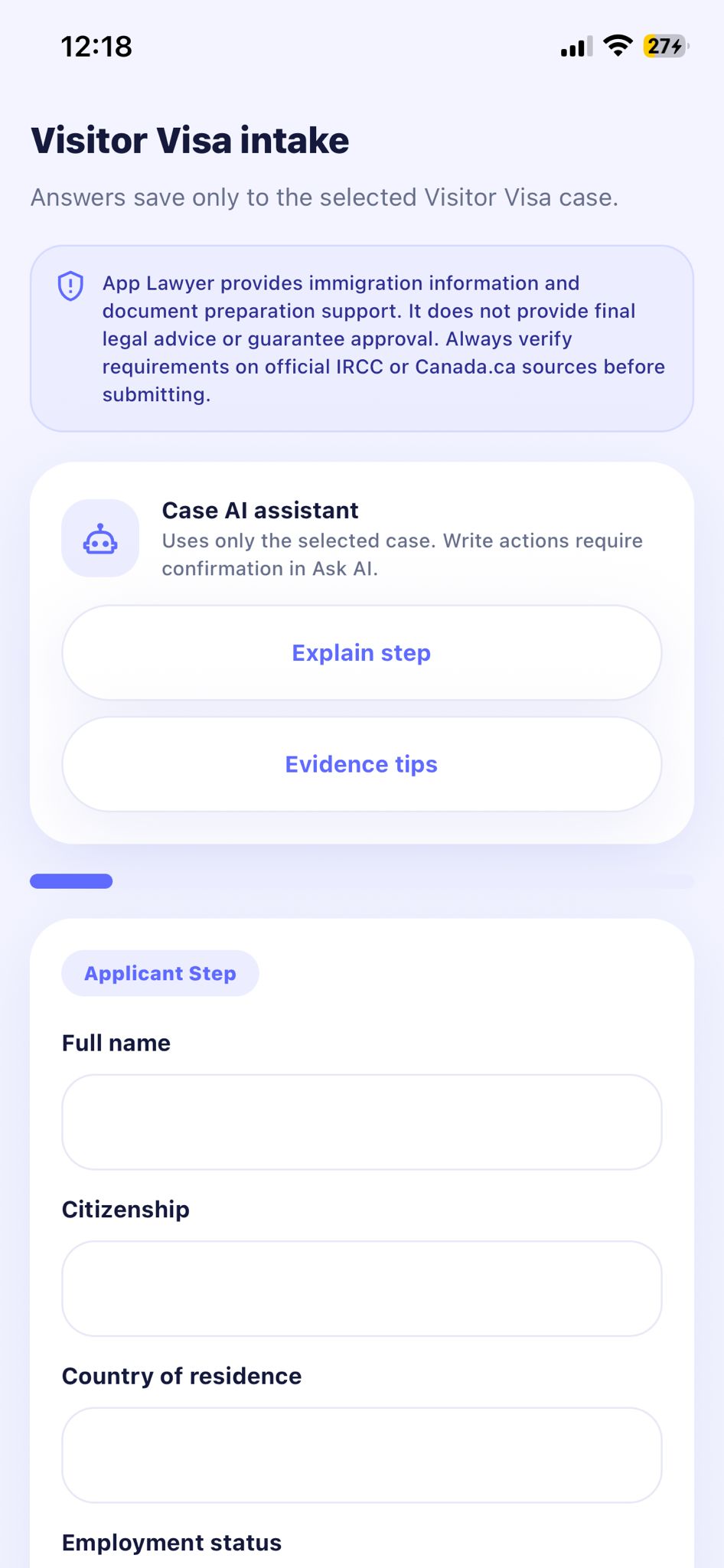
Case setup and intake
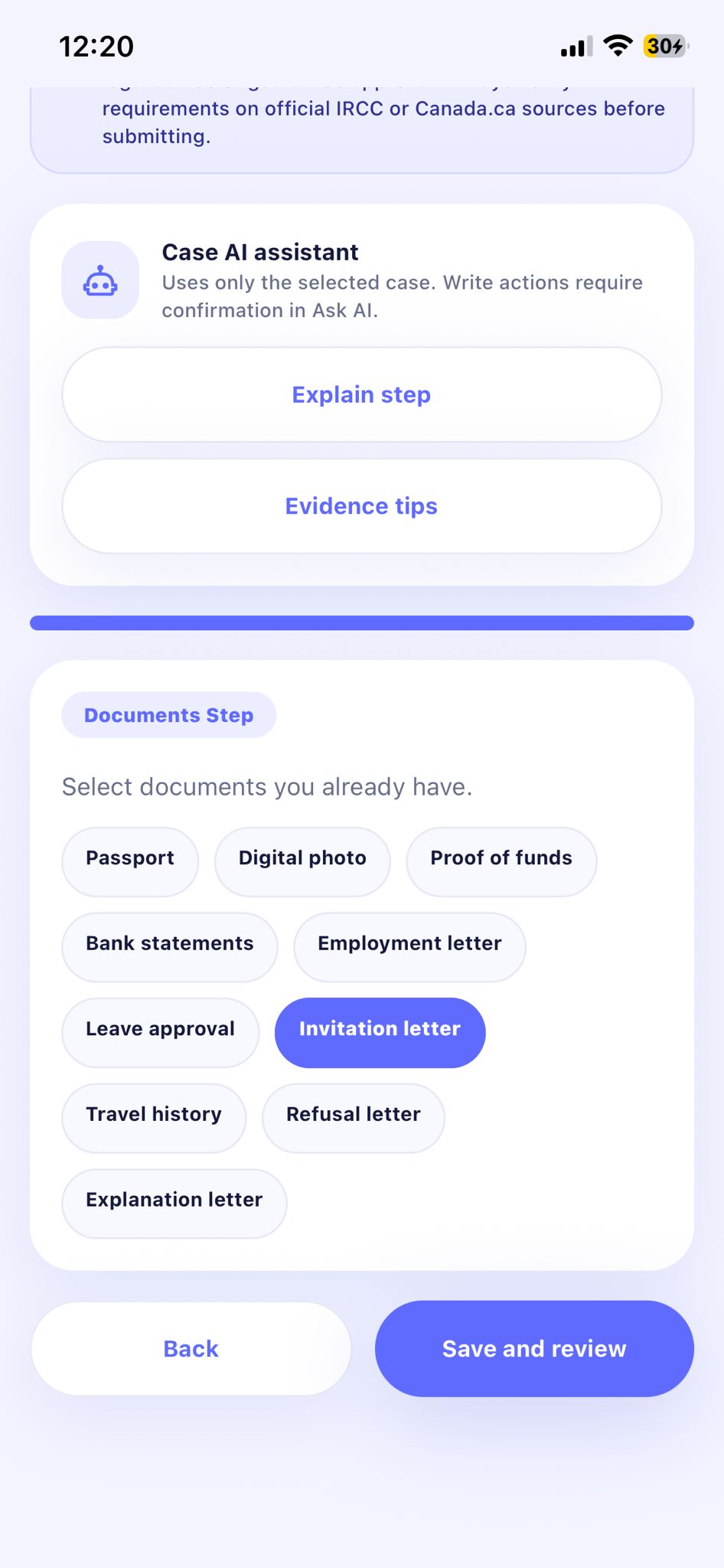
These screens show case setup and grouped intake questions. The visitor-visa screen pairs a step count with completion progress and a save confirmation, giving users both orientation and feedback. The intended Home-to-intake flow preserves the selected application; cross-session saving still needs validation.
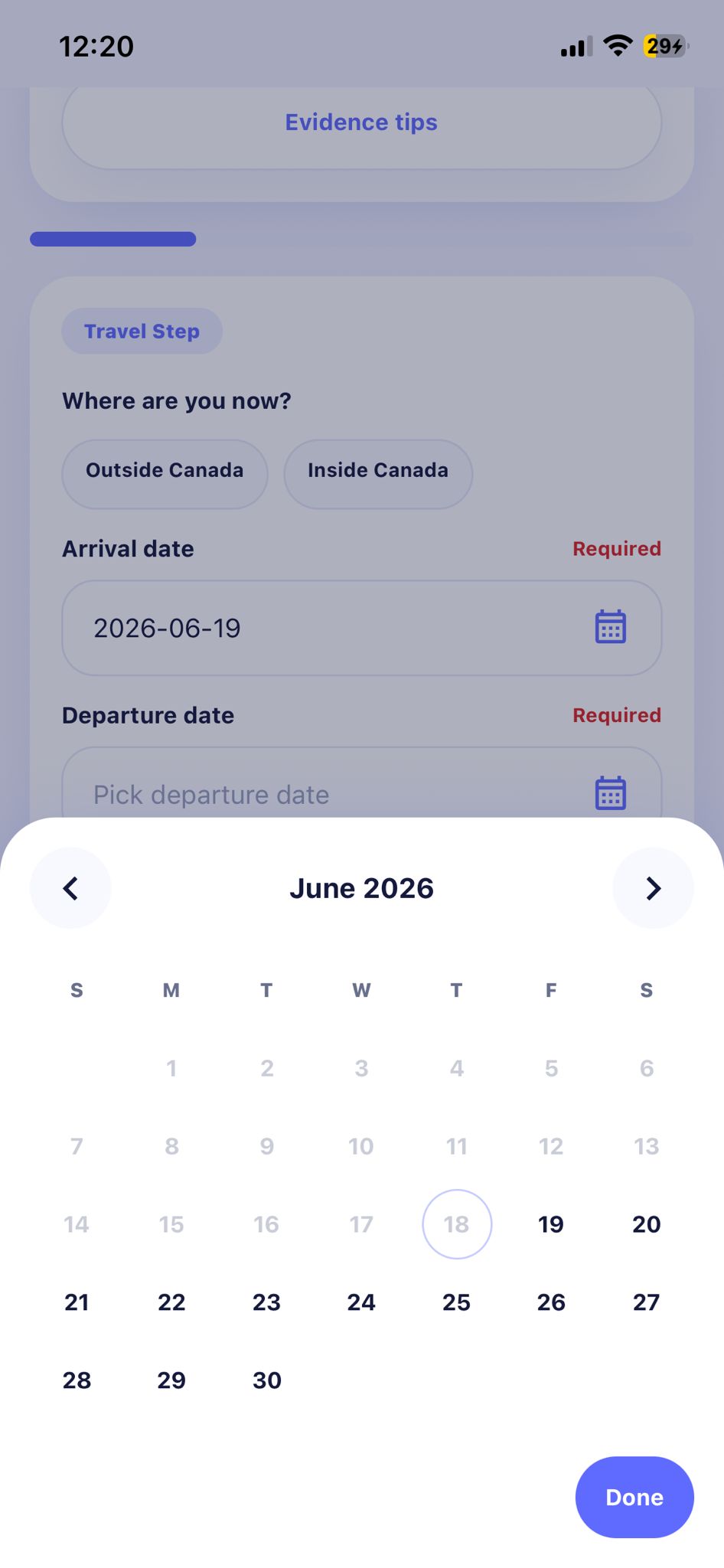
Deadlines and forms
Deadline selection and detailed form fields help users move from vague uncertainty into concrete data that the workspace can track and review.
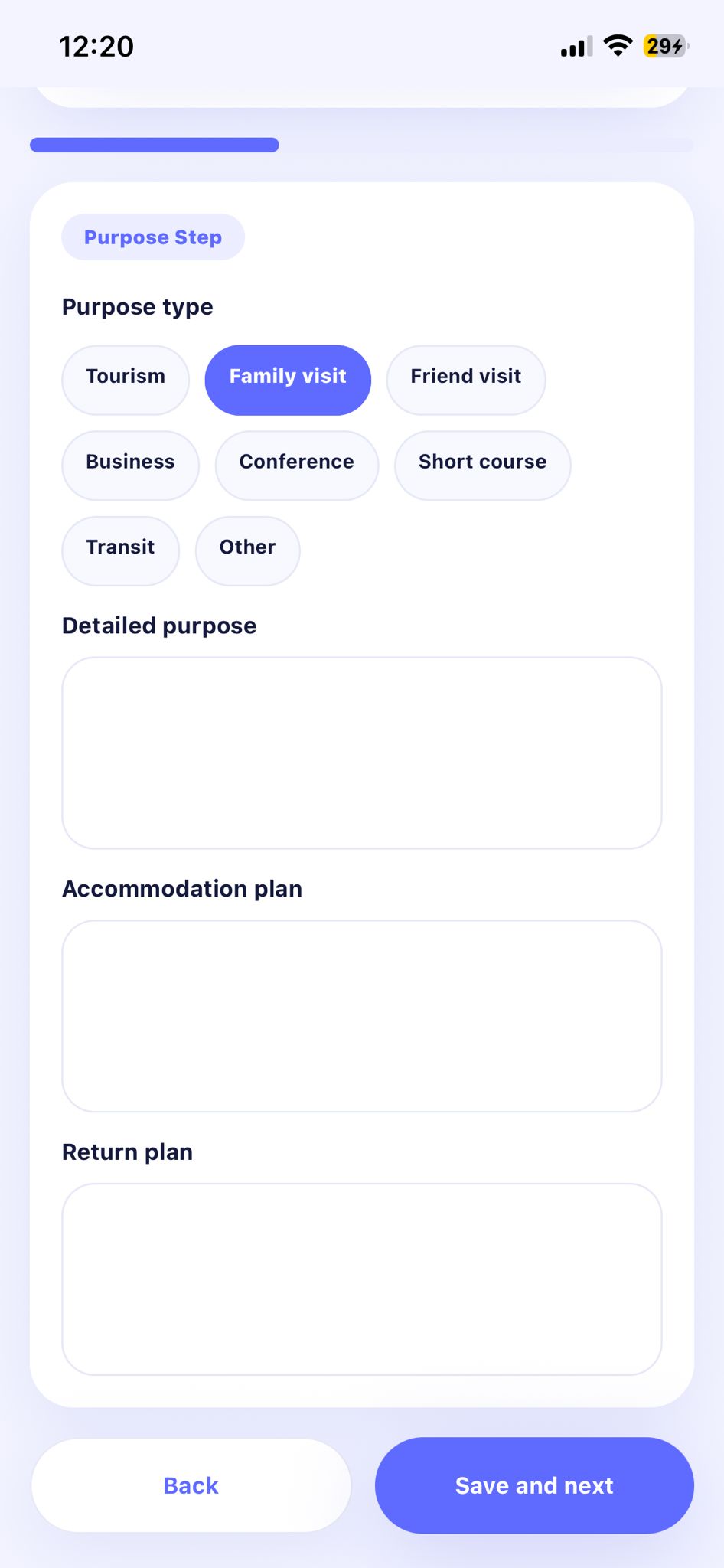
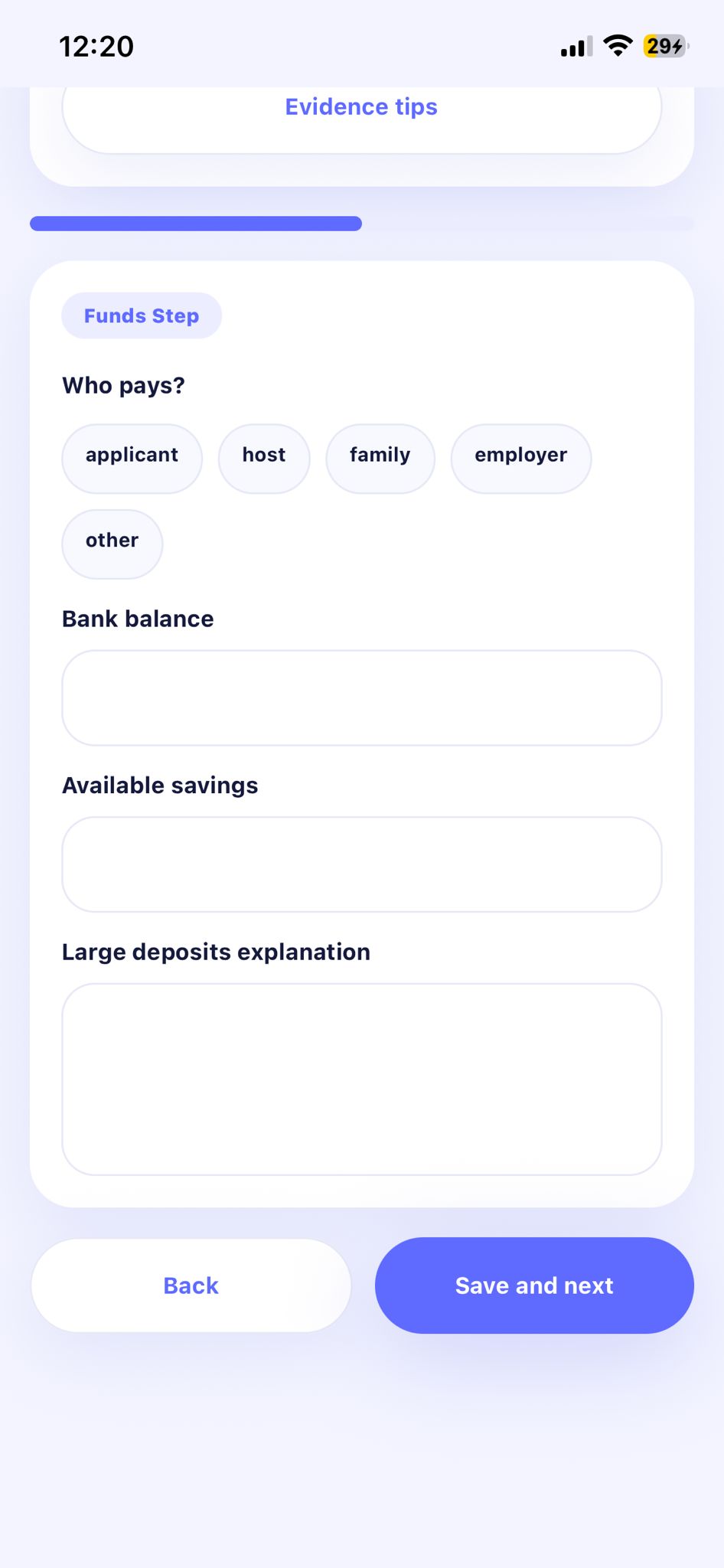
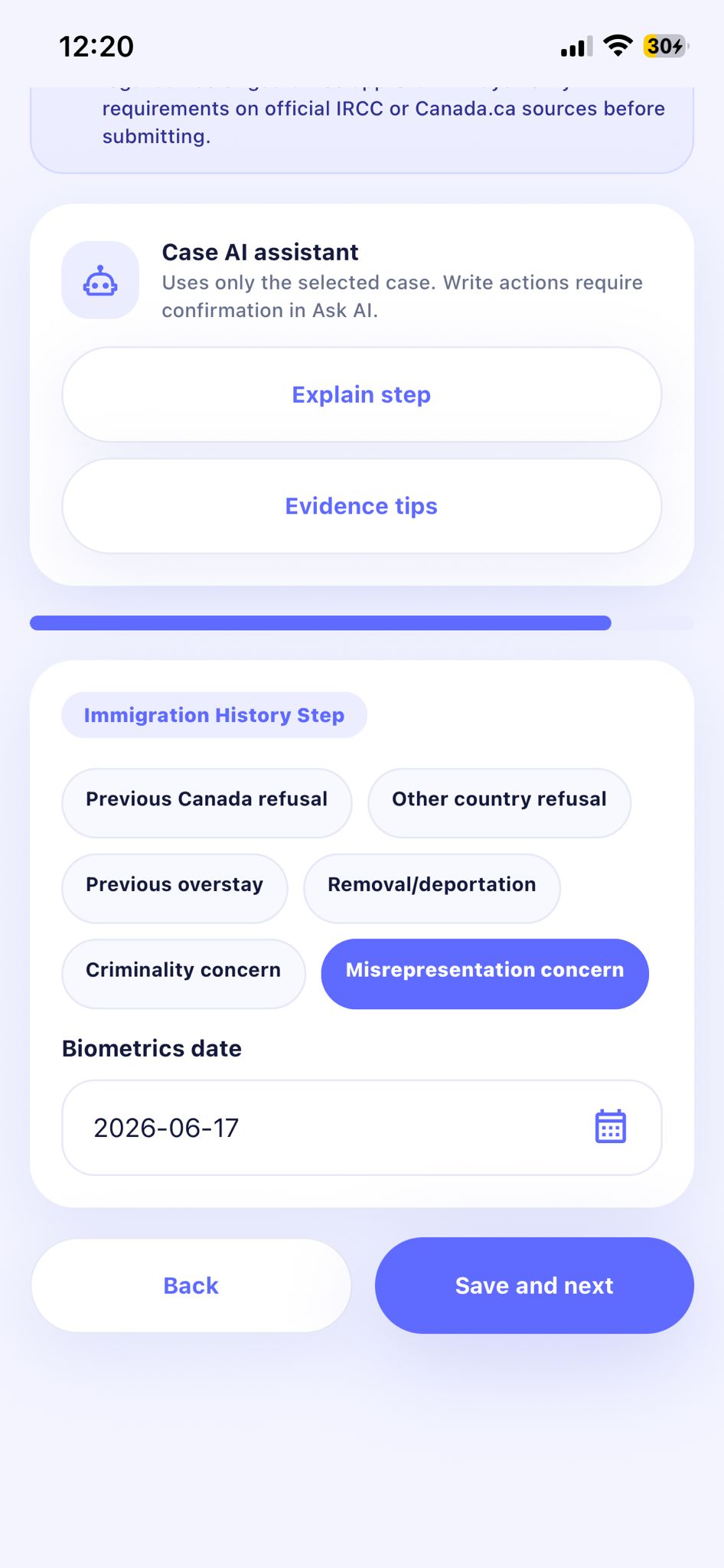
CASE INTAKE
The intake groups personal ties, host details, immigration history, and documents into distinct steps. My interaction-design focus is keeping labels, selection controls, and navigation consistent as the questions change. Any use of these answers for AI guidance needs clear consent and case boundaries.
1 / 4 Personal ties
Swipe or use the arrows to explore each screen.
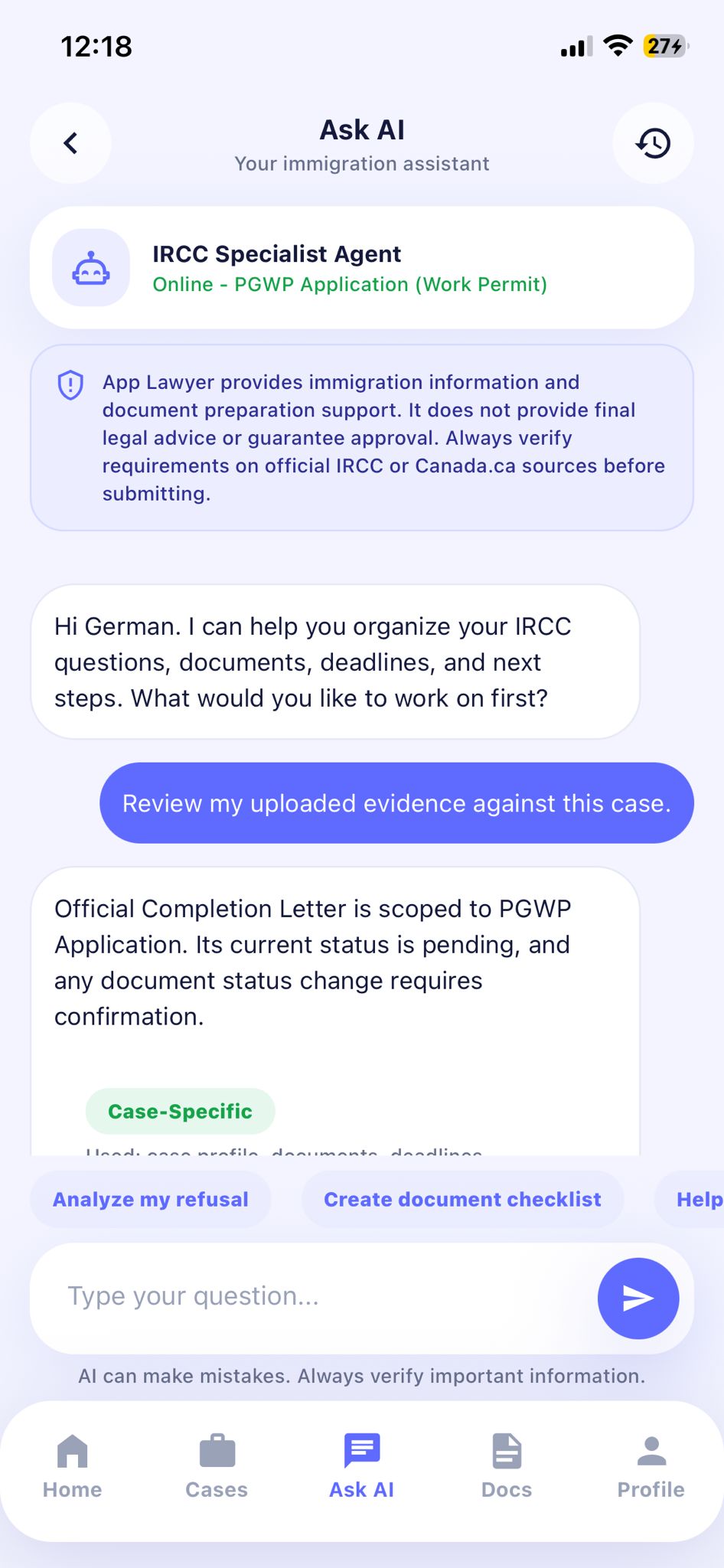
Case-aware AI
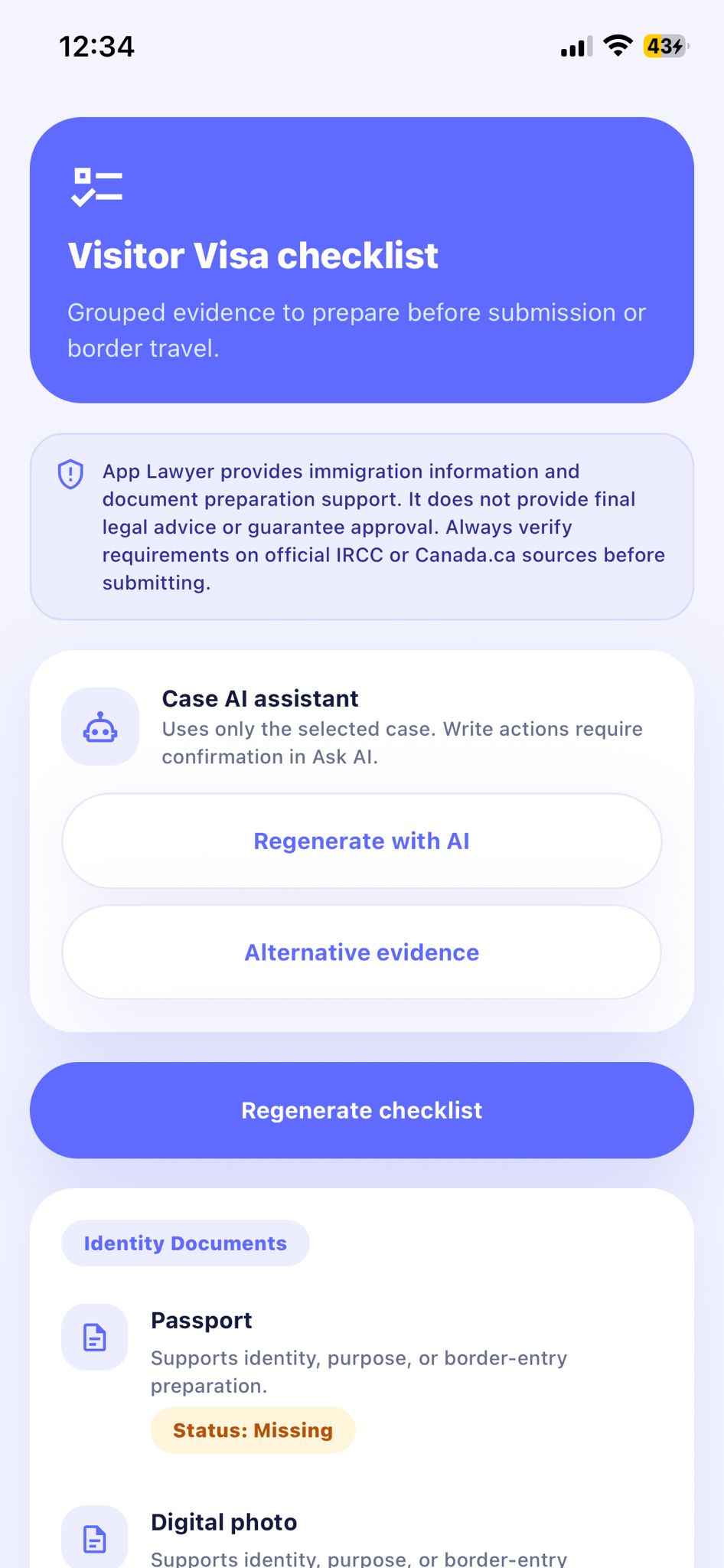
The assistant screen identifies the active application, labels case-specific guidance, and reminds users that AI can make mistakes. These cues connect the conversation to its context while setting expectations. Their presence does not establish legal accuracy or a live AI integration.
06 - Design system and component architecture
I focused on reusable UI patterns so intake, case management, and document tasks could share a consistent interaction language. Design-system work connects visual foundations to states and behaviour, not only styling. The artifacts show recurring patterns; a complete production library and token inventory are not verified.
Colour roles distinguish primary actions, supporting surfaces, and feedback. Type hierarchy separates task titles, labels, and help; spacing and rounded surfaces group related information. Naming these decisions as colour, type, spacing, and radius tokens would make changes reusable across screens. Exact mobile values and a design-to-code token mapping remain to be documented.
Purpose: connect one document to its status and next action. The shown detail includes File: Uploaded, Review: Ok, Mock Processing, Open file, and Ask AI. Reusing the pattern across document types requires keeping file and review states separate. Engineering must map each state to available actions; missing, uploading, failed, replace, and remove paths still need specification and validation.
Purpose: reuse clear data entry across intake steps. The visitor-visa screen shows labeled fields, a Required marker, a selection control, a muted Back action, and Save and next. I focus on consistent hierarchy and interaction patterns. Implementation needs associated labels, appropriate input semantics, preserved values, and understandable validation; visible styling alone does not prove accessible or disabled behaviour.
Purpose: keep the current stage and next action visible. Intake shows Step 1 of 8, 13% complete, and Changes saved; case cards pair completeness with a next task. Reuse the pattern while distinguishing intake progress from overall readiness. Engineering needs defined calculation and save states, responsive labels, and accessible announcements. These percentages describe example screen content, not measured outcomes.
The intended architecture: share foundations, encode repeatable decisions, and compose screens from agreed patterns. This supports consistent updates and fewer repeated design decisions; complete token implementation remains to be documented.
Design foundations
Define roles for colour, type, spacing, radius, and layout.
Design tokens
Name reusable values so intent can be discussed and maintained.
Reusable components
Specify controls, content patterns, variants, and feedback.
Product screens
Compose consistent patterns around the user’s task.
Consistent experience
Review design-to-code behaviour with developers and reuse the patterns as workflows expand.
07 - From design to functional prototypes
My role included React-based front-end prototyping alongside UI and interaction design. A working prototype gives the team a concrete way to discuss how users move between screens, interact with components, and recover from errors. The recordings show a product demonstration; live integrations and production readiness remain unverified.
A review approach for connecting interface decisions with behaviour and engineering feedback.
My focus is translating reusable interface patterns into interactions the team can inspect. Prototypes also give us a place to explore narrow layouts, incomplete answers, and error recovery before committing to implementation. These are review priorities; the recordings are not formal usability-test results.
08 - Working with developers
I worked alongside the UX designer and two developers. UI and front-end knowledge help me describe intended behaviour in terms the team can inspect: which state is active, what changes after an action, and what happens when something fails.
Component behaviour, navigation, field requirements, loading and error states, and how the interface responds to incomplete information. These details make a design discussion more specific than a static screen alone.
Developers bring feasibility, platform constraints, data dependencies, and integration behaviour into the discussion. For document feedback, the interface needs to reflect the actual processing state before it can offer a meaningful next action.
Carry questions back into UX and UI exploration as prototype behaviour and implementation constraints become clearer.
09 - Accessibility, trust and sensitive workflows
An immigration experience can involve personal records and uncertain outcomes. The design must help people understand both the task and the limits of the product. These are design considerations and validation priorities, not compliance or security certifications.
Review text size, hierarchy, contrast, and plain-language instructions. Form errors should identify the issue and explain how to correct it without depending on colour alone.
Test keyboard access, focus, screen-reader announcements, and loading feedback. Clearly distinguish uploaded, processed, and verified documents so completion indicators do not create false confidence.
Explain why information is requested and how it will be used. Data handling, retention, access controls, and privacy expectations require product and engineering validation beyond the interface shown here.
Identify AI-generated explanations, communicate uncertainty, and avoid misleading approval predictions. Guidance should not be confused with official requirements, legal advice, or an immigration decision.
10 - Outcomes and learnings
The outcome so far is a mobile interface direction and recorded prototype experience covering key preparation tasks. The product remains in development; formal usability and business outcomes have not been measured here.
The case study includes screen designs for onboarding, case intake, documents, and contextual AI, plus Home and product-flow recordings. My contribution centered on UI, reusable interaction patterns, and front-end prototyping within the four-person team.
The distinction between an uploaded file and reviewed evidence is a key lesson from this interface. Progress also needs a clear scope: finishing intake is not the same as preparing a complete case. Reusable patterns and working prototypes give those distinctions a concrete form to discuss with developers.
Evaluate task completion, case switching, document status comprehension, and error recovery with users. Test accessibility and AI expectations, then use the findings to prioritize iteration with the team.
Final reflection